
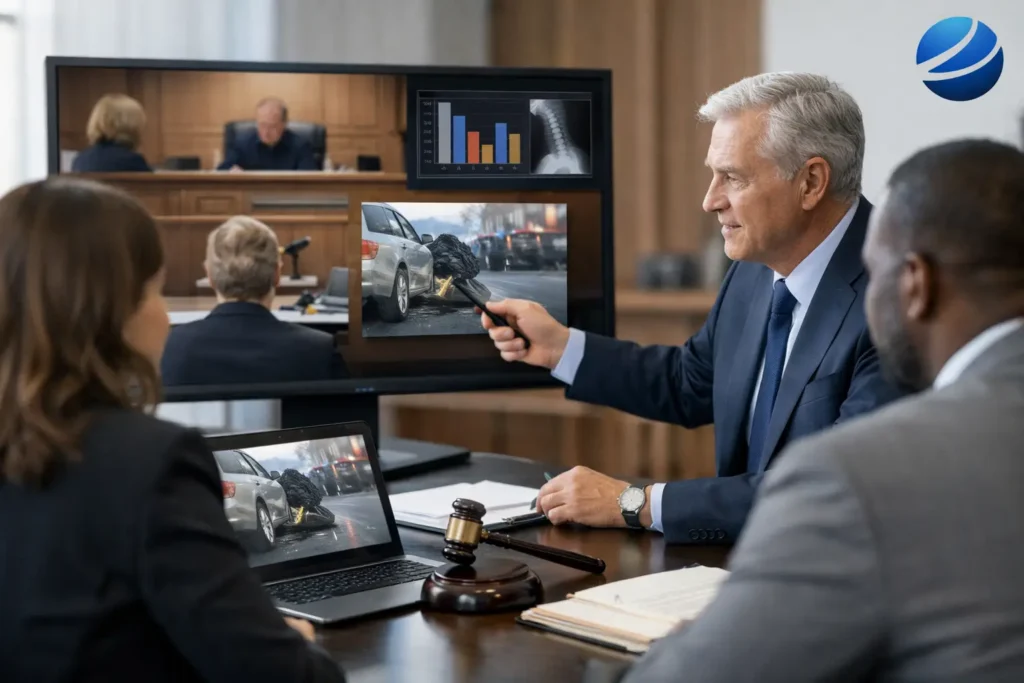
A useful trial presentation software review begins where trial preparation becomes real: a witness is on the stand, counsel needs a specific exhibit immediately, and the courtroom is waiting. At that point, the software is not simply a visual aid. It is part of the litigation team’s evidence-delivery process, and its reliability can affect both courtroom pace and attorney confidence.
For Seattle-area legal teams preparing for mediation, arbitration, or trial, the right platform is the one that helps organize complex evidence without creating a new layer of risk. Features matter, but so do file preparation, courtroom testing, operator experience, and a clear plan for handling unexpected changes.
What a Trial Presentation Software Review Should Measure
The best presentation platform is not necessarily the one with the longest feature list. It is the one that fits the matter, the venue, the evidence volume, and the people who will operate it under pressure.
A meaningful review should examine four core questions: Can the team find and display evidence quickly? Can the software handle the media formats in the case? Can it maintain a clear, accurate record of what was shown? And can the presentation continue if the courtroom environment is less predictable than expected?
For a short hearing with a limited exhibit set, a straightforward display workflow may be sufficient. A multi-week civil trial involving dozens of depositations, medical records, accident footage, demonstratives, and expert exhibits requires deeper organization and more disciplined preparation. The right answer depends on the case.
Evidence organization and speed of retrieval
Trial teams rarely struggle because an exhibit does not exist. They struggle when the exhibit cannot be located, verified, and displayed at the precise moment it is needed. Review how the software organizes exhibit numbers, document titles, witness folders, issue categories, and demonstratives.
Strong evidence management allows a trial technician or attorney to retrieve material through more than one path. A document may need to be located by exhibit number, by witness, by topic, or by a keyword in its title. That flexibility matters when testimony takes an unexpected turn.
The review should also consider how the platform handles last-minute additions. Litigation teams often receive revised demonstratives, supplemental records, or newly designated clips shortly before a hearing. A workable system lets the team add those files without disrupting established numbering or creating uncertainty about which version is current.
Video deposition and transcript synchronization
For cases that depend on video testimony, synchronized depositions deserve special scrutiny. The system should accurately connect the video record to the certified transcript so counsel can move to a designated page and line, search for key language, and play the corresponding section without delay.
Look closely at clip creation and editing controls. Counsel may need to build a designation clip for trial, a shorter impeachment clip for cross-examination, or a sequence that presents testimony in a logical order. The software should make those tasks manageable while preserving source material and clearly identifying the final approved version.
Accuracy is nonnegotiable. A transcript that is out of sync, an incorrect clip boundary, or a video file prepared in an unsuitable format can interrupt a presentation at the worst possible time. Legal video should be reviewed and tested before it reaches the courtroom, particularly when it will be played before a jury.
Annotation and demonstrative control
Annotation tools can be persuasive when used with discipline. Highlighting a contract provision, enlarging a photograph detail, or placing a callout on an accident reconstruction image can direct attention to relevant evidence. But these functions also create potential confusion if annotations are not clearly distinguishable from the admitted exhibit.
A sound review considers whether annotations can be added and removed cleanly, whether the original exhibit remains available, and whether the operator can explain exactly what is being displayed. Teams should establish a consistent workflow for marked-up exhibits, demonstratives, and demonstratives that incorporate admitted evidence.
The goal is clarity, not visual excess. The best courtroom presentation makes it easier for the judge, jury, mediator, or opposing counsel to follow the evidence being discussed.
Courtroom Playback Is the Real Test
A trial presentation platform may perform well in a conference room and still encounter problems at court. Courtroom displays, audio systems, projectors, screen resolutions, available connections, security procedures, and wireless conditions can vary substantially.
Before trial, confirm the actual playback environment whenever possible. Test the computer that will be used, the display connection, audio output, video files, and any backup equipment. Verify that videos play at the correct volume and that text-heavy exhibits remain readable from the decision-maker’s viewing position.
A dependable setup includes redundancy. Keep primary and backup copies of presentations and media on separate, organized storage devices. Bring the needed adapters, power supplies, and cables. Have a practical method for proceeding if a network connection is unavailable or a display source must be changed quickly.
This is also where experienced support becomes valuable. Software cannot replace a trained legal video professional who understands exhibit handling, deposition playback, courtroom etiquette, and the need to respond quietly and quickly when counsel changes course.
Remote and hybrid proceedings require different checks
Remote hearings and hybrid proceedings add another layer of technical responsibility. Screen sharing, participant permissions, audio routing, video quality, and witness visibility must be managed in addition to the evidence itself.
A software review should address whether the platform supports a clean workflow for remote presentation. Can the operator show an exhibit without exposing unrelated desktop content? Can synchronized testimony be shared with usable audio? Can participants follow the exhibit while counsel maintains control of the sequence?
Test the complete workflow before the proceeding, not just individual files. A video clip that plays correctly on a local computer may behave differently when shared through a remote hearing platform. Preparation should include a realistic rehearsal with the intended equipment and, when feasible, the same connection method that will be used on the day.
Collaboration Must Protect Version Control
Litigation preparation is collaborative, but uncontrolled collaboration can produce avoidable errors. Attorneys, paralegals, experts, trial consultants, and legal video professionals may all contribute documents, clips, graphics, and revisions. The presentation system should support a disciplined approval process rather than encourage multiple unofficial versions.
Establish a clear source of truth for exhibits and media. Each file should have a consistent name, an identifiable version, and a defined status such as draft, approved, admitted, or demonstrative. This approach reduces the risk of showing an outdated animation, an unapproved edit, or a document with incorrect redactions.
Access controls are equally relevant. Sensitive records may include medical information, confidential business material, or protected testimony. The team should understand where presentation files are stored, who can modify them, and how materials are secured during transport and courtroom use.
A Practical Trial Presentation Software Review Checklist
Before committing to a workflow, assess whether the software and support process can handle the demands that matter most:
- Fast exhibit retrieval by number, witness, topic, and keyword
- Accurate synchronized video deposition playback and clip creation
- Clear handling of annotations, enlargements, and demonstratives
- Reliable local playback without depending on courtroom internet access
- Secure file management and dependable version control
- A tested backup plan for equipment, media, and display failures
This checklist is intentionally practical. A feature that looks impressive during a demonstration has limited value if it adds complexity to the operator’s task or cannot be tested in the actual hearing environment.
Software Is Only One Part of the Presentation
The strongest trial presentation process combines the right software with organized evidence, properly prepared media, and experienced operation. Legal teams should not have to spend trial week troubleshooting codecs, searching for a deposition page, or wondering whether a courtroom monitor will display a key document correctly.
At Royal Video Productions, legal video work is prepared with the realities of litigation deadlines and courtroom use in mind. That includes careful attention to transcript synchronization, edited testimony, evidentiary video, and presentation-ready deliverables that support counsel rather than distract from the case.
Choose technology that gives your team control, then give that technology the preparation and professional oversight it requires. When the critical exhibit is needed, the best result is simple: it appears accurately, clearly, and without delay.