
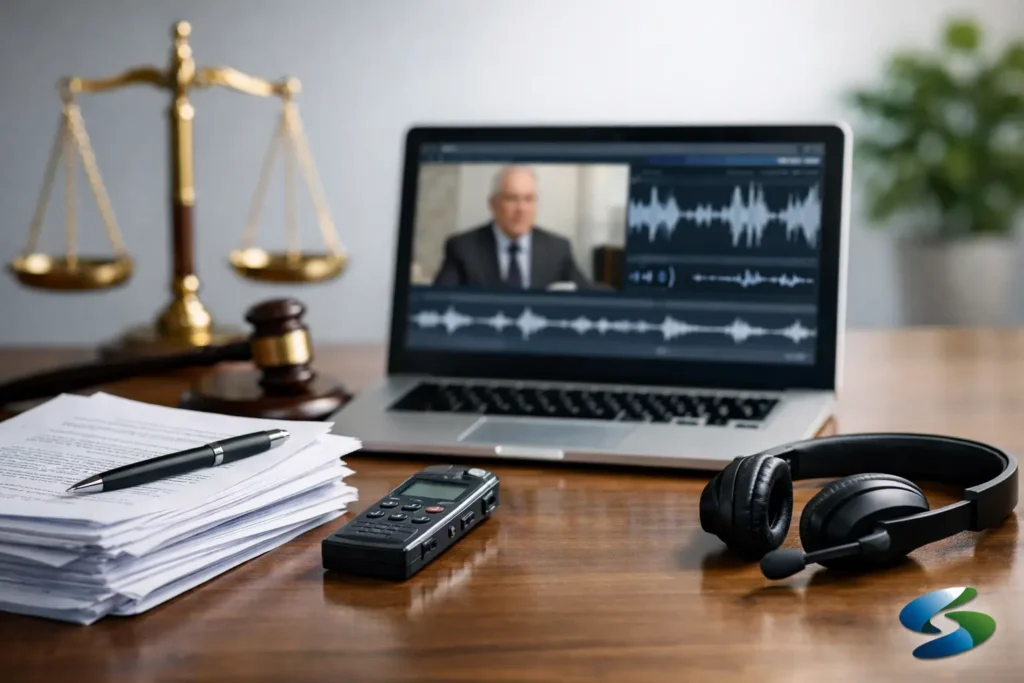
A transcript that does not line up with the witness video is more than a technical nuisance. It slows down trial prep, creates avoidable review problems, and can undermine confidence when your team needs fast, accurate playback. If you are figuring out how to sync deposition transcripts, the goal is not just getting text on screen. The goal is producing a reliable litigation tool that attorneys can use for impeachment, mediation, witness preparation, and courtroom presentation.
In legal video work, synchronization means matching the certified transcript to the exact spoken words and timing in the deposition recording. When done correctly, each line of testimony highlights as the witness speaks. That sounds straightforward, but the quality of the finished result depends on what happened at the deposition, how the transcript was prepared, and who is handling the sync.
What syncing a deposition transcript actually involves
Syncing is a timing process, but it starts with record control. The video file has to be complete, stable, and recorded with clean audio. The transcript has to match the final certified version, including appearances, colloquy, objections, and any read-backs reflected in the official record. The synchronization specialist then maps transcript text to the audio waveform so the text advances in step with the witness testimony.
That process becomes more complicated when the deposition includes interruptions, multiple speakers talking over one another, technical pauses, or off-the-record discussions that were handled inconsistently in the room. Remote and hybrid depositions add another layer. Lag, dropouts, and uneven microphone quality can all affect timing accuracy.
This is why legal teams often discover that learning how to sync deposition transcripts is partly about understanding deposition conditions. Good synchronization starts long before post-production.
How to sync deposition transcripts with fewer problems
The cleanest synchronization jobs usually come from well-managed source material. If the deposition is being recorded for later sync, the video should capture clear, isolated speech whenever possible. A witness speaking softly, counsel interrupting from across the room, or poor remote audio can all turn a routine sync into a correction-heavy project.
The transcript itself matters just as much. Use the final certified transcript, not a rough draft, if the synchronized video will be used in any formal setting. Roughs can be useful for internal review when time is short, but they are not the right foundation for a finished litigation exhibit. If the final transcript differs from the rough, the sync will need to be redone or carefully updated.
File integrity also matters. The video should be delivered in a stable format with no missing sections, no unexplained time jumps, and no conversion issues that alter runtime. Even slight timing drift can create mismatch over a long deposition. In practice, that means the source file should be preserved carefully from the original recording through editing and export.
Step 1: Confirm the final source materials
Before any syncing begins, confirm that you have the correct video file and the correct transcript. That sounds basic, but it is one of the most common points of delay. Legal teams often have multiple exports, clips, rough transcripts, condensed transcripts, or revised certified versions circulating at once.
The synchronization should be built from the final deposition video and the final certified transcript intended for use. If there were errata changes, those should be accounted for according to the needs of the matter and the intended use of the synced file.
Step 2: Review audio and speaker clarity
Synchronization software can help with timing, but it does not fix muddy source audio. A specialist still has to determine where testimony starts, where statements overlap, and how to handle exchanges that are difficult to hear. If the court reporter record and the recorded audio do not appear to line up cleanly in a few places, that should be identified early rather than ignored.
This is where experience matters. In legal video, you are not just matching words. You are protecting usability. If an attorney later searches for a key answer and the highlight lands late or early, confidence in the presentation drops quickly.
Step 3: Time-code the transcript to the video
Once the source materials are confirmed, the transcript is aligned line by line to the witness testimony. Depending on the software and workflow, this may involve automated assistance followed by careful manual correction. Automation can speed the process, but legal work still requires human review.
Depositions are rarely clean enough to trust automation on its own. Objections, speaker changes, exhibits, and side comments can all throw timing off. A proper sync includes correction passes so that the text tracks naturally with the spoken testimony from beginning to end.
Step 4: Quality control for legal use
A synced transcript should be checked for timing consistency, transcript completeness, page-line integrity, and playback function. It should also be reviewed in the format the legal team will actually use. A file that looks acceptable in one player may not perform the same way in another trial presentation environment.
Quality control is not an extra. It is the difference between a helpful review tool and a courtroom problem. If the synced file will be used for designations, impeachment clips, or mediation presentation, accuracy needs to hold up under pressure.
Where synchronization problems usually start
Most sync issues come from one of three places: transcript mismatch, poor audio, or unrealistic turnaround expectations. Transcript mismatch happens when the wrong version is used or when edits are made after syncing has started. Poor audio is common in remote testimony where participants rely on laptop microphones, inconsistent internet connections, or conference-room speaker systems.
Turnaround can also affect quality. Fast service is often necessary in litigation, but compressed timelines leave less room for correction if source materials arrive late or incomplete. When a legal team needs synchronized testimony on a deadline, the best results come from getting the vendor involved early and confirming deliverables before the deposition date.
When it makes sense to use a specialist
Some legal support tasks can be handled in-house without much risk. Transcript synchronization usually is not one of them when the output is intended for active litigation. The reason is simple: the final file has to be accurate, usable, and presentation-ready.
A specialist in legal video understands how synchronized testimony is actually used. That includes clip creation, excerpt review, impeachment prep, mediation playback, and trial presentation support. It also means understanding chain of custody concerns, certified transcript handling, and the practical difference between a sync that is technically complete and one that is genuinely useful to counsel.
For Seattle-area legal teams working under court deadlines, a provider with legal-video experience can also reduce coordination friction. Instead of explaining deposition workflow from the ground up, attorneys and paralegals can work with someone who already understands the sequence of recording, transcript receipt, synchronization, editing, and output preparation.
How synced transcripts help at mediation and trial
The value of a synced transcript shows up in speed and precision. Counsel can review key testimony without scrubbing blindly through raw video. Paralegals can identify and organize clips more efficiently. Trial teams can move from page-line citations to actual witness testimony with less delay.
That matters in mediation, where timing is tight and persuasive presentation counts. It matters even more in trial prep, where small inefficiencies multiply across dozens of witnesses and many hours of testimony. A properly synchronized deposition gives the team a working record, not just an archive.
There is also a strategic advantage. Video testimony has a different impact than paper alone. When the transcript highlights in sync with the witness on screen, the testimony becomes easier to follow and harder to dismiss. That is one reason synchronized depositions remain such a practical asset in complex litigation.
A practical standard for getting it right
If you need to know how to sync deposition transcripts the right way, think less about software and more about process control. Start with a clean legal video record. Use the final certified transcript. Build in time for correction and quality control. And make sure the finished file is prepared for how your team will actually use it, whether that is internal review, mediation, or courtroom playback.
At Royal Video Productions Inc., that standard has always been straightforward: accuracy first, deadlines respected, and deliverables that work when counsel needs them. When synchronized testimony is prepared correctly, it does not call attention to itself. It simply helps your case move forward with less friction and more confidence.
The best time to think about transcript synchronization is before the deposition is over, not the night before a presentation deadline.