
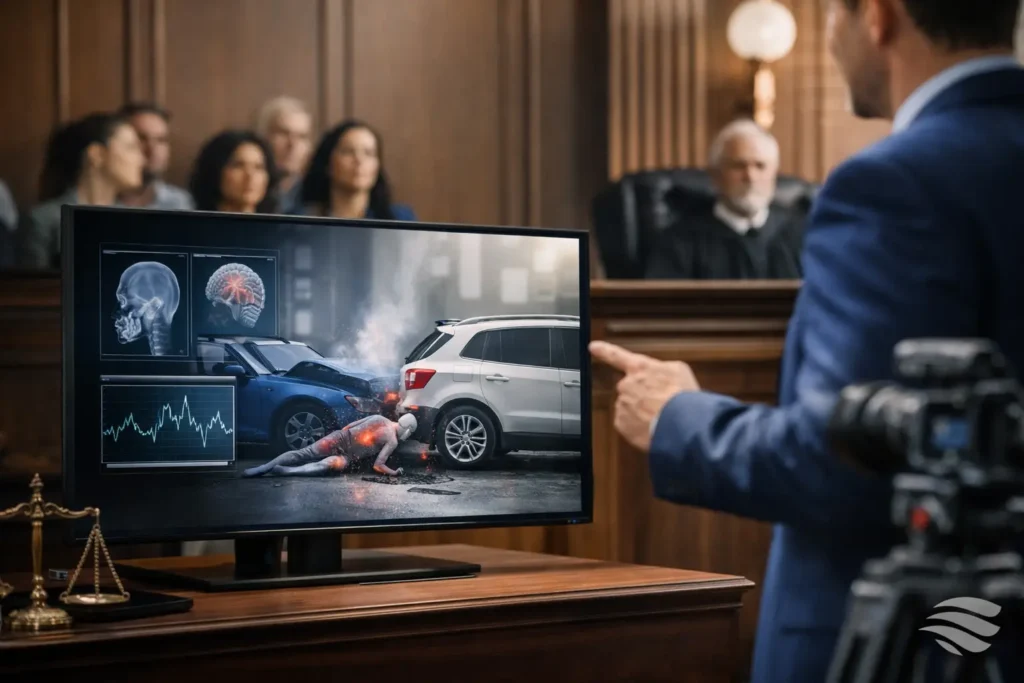
A juror may hear a surgeon describe a complex injury, an engineer explain a failure sequence, or a witness recount events across several locations. Without a clear visual reference, the factual sequence can be difficult to retain. This guide to courtroom demonstrative videos explains how legal teams can use carefully produced visuals to make testimony easier to follow while protecting accuracy, credibility, and courtroom readiness.
Courtroom demonstratives are not decoration. At their best, they give jurors a reliable visual framework for testimony and documentary evidence already in the record. At their worst, they overstate a disputed point, confuse the source material, or create a last-minute technical problem when the court schedule leaves little room for correction.
What a Courtroom Demonstrative Video Is
A courtroom demonstrative video is a visual presentation created to explain a party’s position, organize facts, or illustrate expert testimony. It can combine authenticated photographs, medical imaging, maps, documents, deposition clips, labels, timelines, and carefully limited animation. The purpose is generally explanatory: helping the fact finder understand information that may otherwise be difficult to visualize or connect.
That purpose distinguishes a demonstrative from substantive evidence, though the distinction can depend on the court’s ruling and the way the presentation is built and used. A video based on admitted exhibits may help counsel walk through a sequence of events. A reconstruction may illustrate an expert’s opinion. A day-in-the-life production may be offered as evidence, subject to its own foundation and objections.
The legal team should decide early what role the video will play. Is it a demonstrative used to support testimony? Is it an evidentiary presentation? Will it be shown in opening, during an expert examination, or in closing argument? Those decisions affect the sources, level of detail, disclosure process, and approvals required before trial.
Start With the Question Jurors Need Answered
The strongest demonstratives begin with a specific communication problem, not a request for more graphics. Ask what a juror needs to understand after watching the presentation. It may be the order of impacts in a collision, the location of a sightline, the progression of treatment, the mechanics of a workplace incident, or the relationship between several documents.
A useful internal test is simple: can the legal team state the video’s point in one sentence without argument? For example, a timeline may be designed to show the interval between a reported symptom and a follow-up appointment. An anatomy animation may be designed to orient the jury before a physician explains a procedure. If the point cannot be stated clearly, the production may become a collection of facts rather than a persuasive teaching tool.
This approach also prevents a common problem: trying to put the entire case into one video. Trial presentations work better when each visual has a defined job. A concise timeline can establish sequence. A synchronized deposition excerpt can preserve a witness’s exact words. A site illustration can establish orientation. Together, those pieces give counsel flexibility as testimony develops.
Build From Verifiable Source Material
Every visual decision should trace back to reliable source material. That may include deposition testimony, police reports, medical records, admitted photographs, surveys, inspection images, discovery responses, expert reports, and court-approved exhibits. The production team needs a clear record of what was provided, what was used, and what was added for explanatory purposes.
This is especially important with accident reconstruction and medical illustrations. An animation may accurately show an expert’s opinion, but it should not appear to be an undisputed recording of events. Labels, captions, and counsel’s examination should make the basis and limits of the illustration clear. When facts are disputed, an effective demonstrative can show the assumptions being used rather than quietly treating them as settled.
Accuracy is also a visual issue. A map with a misplaced landmark, an abbreviated timeline that changes the apparent sequence, or a scaled image that implies measurements it does not contain can weaken the presentation. Before finalizing a video, attorneys and experts should review it closely for factual accuracy, terminology, chronology, and alignment with anticipated testimony.
Choose the Right Format for the Point
A guide to courtroom demonstrative videos should not suggest that animation is always the answer. Often, a clean sequence of photographs, captions, and document callouts is more persuasive because it stays close to the record. The right format depends on the information, the witness, and the courtroom setting.
Timelines and Document Sequences
Timelines are useful when timing, notice, treatment progression, communications, or repeated events are central to the dispute. They should prioritize readability over volume. A crowded timeline may contain more information, but it asks jurors to read instead of listen to the witness.
Document sequences can be equally effective. Highlighting relevant portions of a contract, medical chart, email chain, or inspection report allows counsel to direct attention without forcing jurors to search dense pages from a distance. The displayed text must remain faithful to the underlying document, with clear exhibit identification where appropriate.
Site, Process, and Reconstruction Visuals
Site visuals help jurors understand distance, access, lines of sight, equipment placement, and movement through a location. They may use photographs, aerial imagery, measured diagrams, or a simplified 3D environment. Reconstruction visuals require added care because they can be highly persuasive. Their assumptions, data sources, and relationship to expert opinions should be reviewed well before trial.
Medical and Human-Impact Presentations
Medical visuals can clarify anatomy, surgical procedures, treatment progression, and functional limitations. A day-in-the-life production serves a different purpose: it documents how an injury affects ordinary routines through real-world observation. Both formats require restraint. The most credible presentation is specific, accurately captioned, and paced to inform rather than overwhelm.
Plan for Review, Disclosure, and Revisions
Court deadlines often compress the production timeline, but legal teams should not leave demonstratives until the final week if the case allows earlier planning. Early review gives attorneys time to confirm source materials, consult experts, consider opposing counsel’s likely objections, and make revisions before the trial calendar becomes unforgiving.
A practical review process usually has several stages. Counsel first confirms the message and source materials. The production team then creates a draft or storyboard that establishes structure, timing, labels, and the visual approach. Subject-matter experts review technical accuracy. Counsel conducts a final legal and strategic review before the presentation is rendered in its courtroom-ready form.
Version control matters. A late change to testimony, an updated exhibit number, or a revised expert opinion can affect a video already approved in draft. Teams should identify a single point of contact for consolidated feedback and maintain clear filenames for each review version. Conflicting edits from multiple reviewers can create unnecessary delay and increase the risk of an outdated version reaching court.
Prepare for Courtroom Playback, Not Just Office Review
A demonstrative that looks excellent on a laptop can fail in a courtroom. Small text may be unreadable on a jury-facing display. Low-contrast graphics can disappear under courtroom lighting. Audio from a deposition clip may be difficult to hear at the back of the room. Playback software, aspect ratios, screen resolutions, and available connections can all affect the result.
Before trial, confirm the courtroom’s display and audio setup, whether the court provides equipment, and what media formats are permitted. Have a tested backup on a separate device or approved storage medium. If the video contains sound, test volume and intelligibility in the actual space when possible. If it includes captions, make sure they can be read from the jury box.
It is also wise to prepare a still-image or PDF fallback for key frames. A short technology delay may be manageable. Losing the ability to show a central timeline, animation, or deposition excerpt during examination is more consequential. Experienced legal video support anticipates these practical issues and delivers files configured for dependable playback.
Use Professional Production to Preserve Credibility
Jurors do not expect a feature film, but they do notice when a presentation is difficult to read, poorly paced, or technically unreliable. Professional legal video production brings more than editing capability. It brings an understanding of transcript synchronization, exhibit handling, deposition clips, courtroom formats, revision cycles, and the need to work quickly without compromising accuracy.
For Seattle-area legal teams, Royal Video Productions applies decades of legal-video experience to demonstrative projects that must be accurate, organized, and ready for the realities of trial. The production process should reduce the burden on attorneys and paralegals, not create another technical project for them to manage.
The final question before any courtroom presentation is not whether the video looks impressive. It is whether it helps the witness explain the evidence clearly, fairly, and without distraction. When the answer is yes, the demonstrative becomes a practical extension of case preparation: one that helps jurors see the facts they are being asked to decide.