
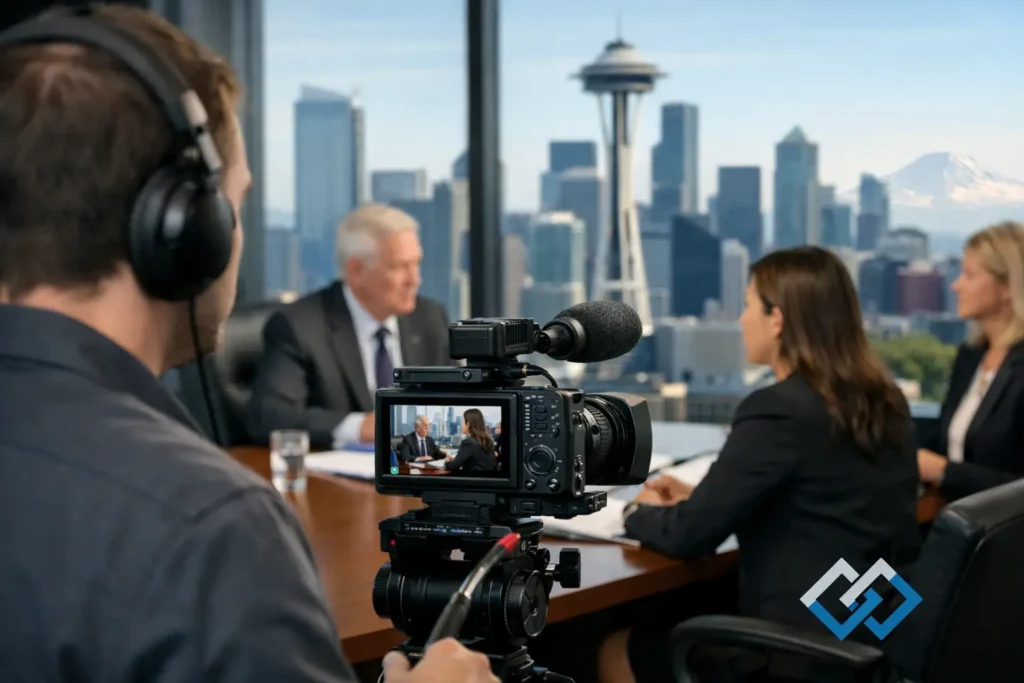
A witness may be calm in a conference room and unavailable by the time trial arrives. A technical expert may explain a critical point far more clearly on video than through a cold transcript. Those realities are why selecting a legal videographer Seattle legal teams can rely on is a litigation decision, not simply an AV booking.
Legal video must do more than look and sound professional. It must be captured accurately, handled with appropriate care, delivered on schedule, and prepared in a format that supports the way attorneys actually work. From remote depositions to trial playback, the details affect preparation, presentation, and confidence in the record.
When Legal Video Becomes Essential
Video depositions are often used because they preserve far more than the words spoken. A recording captures pace, pauses, demeanor, demonstrations, and the way a witness responds when presented with an exhibit. That context can be valuable during case evaluation, settlement discussions, impeachment preparation, or trial.
Not every deposition requires video. The decision depends on the witness, the claims, the anticipated availability of the witness, and the attorney’s trial strategy. Video is particularly useful when a witness may be outside the court’s subpoena reach, has health concerns, is an expert whose testimony needs to be presented efficiently, or will demonstrate a process that is difficult to understand from a transcript alone.
For personal injury matters, a day-in-the-life production can give decision-makers a carefully documented view of how injuries affect everyday function. In liability disputes, accident reconstruction support and demonstrative editing can help organize complex facts into a form that is easier to follow. These productions require judgment. The goal is clarity and accuracy, not unnecessary drama.
What a Legal Videographer in Seattle Should Manage
A specialized legal videographer brings a different discipline than a general event or corporate production crew. Legal proceedings have established conventions, tight schedules, confidential subject matter, and deliverables that may be reviewed closely by opposing counsel, mediators, or the court.
At minimum, the production process should account for clean audio, proper framing, visible identification of participants when appropriate, accurate date and time information, and dependable media handling. The videographer must also work smoothly with the court reporter, counsel, witness, interpreter, and remote participants without disrupting the proceeding.
For a video deposition, operational details often include:
- Recording the witness clearly while maintaining a professional, neutral setup.
- Capturing counsel and exhibits as needed for a usable record.
- Monitoring audio throughout the session, including objections and read-backs.
- Producing files and media in the requested format within the required timeline.
Those basics sound straightforward until a witness joins remotely from another state, an interpreter is added midway through the testimony, or a demonstrative exhibit needs to be shown to both in-room and virtual participants. Experience matters most when the day does not go exactly as planned.
Remote and Hybrid Depositions Need a Real Production Plan
Zoom made remote depositions routine, but routine is not the same as risk-free. Poor internet connections, inconsistent audio, inadequate cameras, screen-sharing errors, and uncertainty about who is present in the room can create avoidable complications. A hybrid deposition introduces another layer: people in a conference room must hear and see remote participants clearly, while remote participants need a reliable view of the room, witness, and exhibits.
The right setup depends on the proceeding. A short remote testimony may need a streamlined configuration and advance connection testing. A multi-party expert deposition may call for a more deliberate plan, including separate audio management, professional cameras, document display, and technical coordination before the record begins.
Legal teams should not have to spend the morning of a deposition troubleshooting microphones or explaining video platform controls to a witness. A prepared legal video professional handles the technical environment so counsel can focus on examination.
The Value of Synchronized Video and Transcript Review
A deposition video becomes more useful when it can be reviewed alongside the certified transcript. Transcript synchronization aligns the spoken testimony with the corresponding text, making it faster to locate key answers, evaluate testimony, and prepare clips for mediation or trial.
This is not merely a convenience feature. During trial preparation, attorneys and paralegals may need to find a precise statement from hundreds of pages of testimony. A synchronized file can reduce the time spent searching and make collaboration between the litigation team more efficient.
The quality of synchronization and the organization of the final files matter. Names, dates, file formats, exhibit references, and delivery instructions should be handled carefully. A rushed or confusing handoff creates more work for the people trying to prepare a case under deadline.
Editing Must Preserve Accuracy
Legal video editing is often about restraint. The strongest edit is usually the one that makes testimony or a demonstrative presentation easier to understand without changing its meaning or creating a misleading impression.
For deposition designations, that may mean assembling designated testimony, integrating corresponding transcript text, and preparing playback-ready clips. For a settlement presentation or day-in-the-life video, it may involve organizing footage in a logical sequence, improving intelligibility, and presenting verified information with appropriate context.
Attorneys should provide clear direction about the purpose of the edit, intended audience, governing deadlines, and any stipulations or court requirements. The video professional should then be able to translate those instructions into a polished deliverable while flagging technical concerns early enough to solve them.
Courtroom Readiness Starts Before Trial Week
A file that plays well on an office computer is not automatically ready for courtroom use. Courtroom display systems vary, and trial schedules leave little room for last-minute conversion problems. Playback files should be tested, organized, and available in formats appropriate for the planned presentation environment.
This is also where communication matters. If an attorney needs a short impeachment clip, a revised designation, or a deposition excerpt for a hearing, the vendor must understand the urgency and respond with a clear plan. Fast turnaround is valuable only when accuracy remains intact.
Royal Video Productions Inc. supports Seattle-area legal teams with this litigation-focused approach, from professionally managed depositions through synchronized transcripts, custom edits, and courtroom-ready presentation materials. The work is technical, but the service should feel straightforward to the people managing the case.
Questions to Ask Before You Schedule
Before booking a legal video service, confirm the scope of the proceeding. Is it in person, remote, or hybrid? Will an interpreter, demonstrative exhibit, screen share, or multiple remote witness locations be involved? Does the matter require a standard deposition record, transcript synchronization, edited clips, or a custom production?
It is also wise to discuss the delivery deadline before the deposition begins. Some matters permit normal post-production timing; others involve a hearing, mediation, or trial date that requires immediate attention. Clear expectations upfront protect the schedule and help the legal team receive the right materials without avoidable revisions.
Finally, choose a provider who understands that legal video is part of the litigation workflow. Professional demeanor, technical competence, careful coordination, and responsive follow-through can remove a significant burden from attorneys and staff.
When testimony, demonstrative evidence, or a client’s lived experience needs to be seen as well as heard, plan the video support early. That gives your team more options, cleaner deliverables, and one less deadline-driven problem to solve when the case reaches its most demanding stage.