
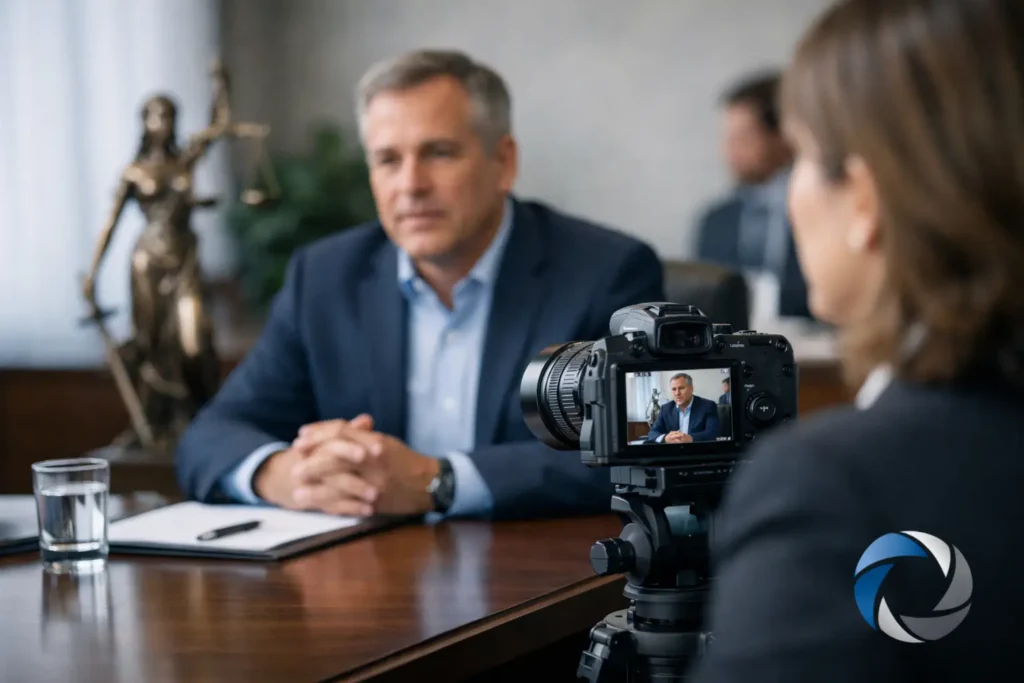
A video deposition captures more than words. It records pace, posture, eye movement, hesitation, confidence, and every off-camera distraction that can undercut otherwise solid testimony. That is why knowing how to prepare video deposition testimony matters long before the camera is switched on. For attorneys and litigation support teams, preparation is not cosmetic. It is part of protecting the record.
Why video deposition prep affects the record
A transcript can soften rough edges. Video usually does the opposite. If a witness appears irritated, evasive, distracted, or confused, those impressions may stay with the viewer even when the spoken answer is technically acceptable.
That does not mean preparation should cross into scripting. It means the legal team should eliminate avoidable problems and help the witness understand the format, pace, and pressure of recorded testimony. Good preparation supports clarity and credibility. Poor preparation leaves too much to chance.
In practice, the strongest results come when attorneys, paralegals, the court reporter, and the legal videographer are aligned on logistics before the deposition begins. When roles are clear, exhibits are organized, and technology has been tested, the witness has a better chance of presenting clean, usable testimony.
How to prepare video deposition before the deposition date
The best video depositions usually feel uneventful. That is not accidental. It reflects planning done early enough to catch problems while there is still time to fix them.
Start with the purpose of the deposition. Is this primarily discovery, preservation, impeachment support, or expected trial playback? The answer changes how much attention should be given to visual presentation, exhibit handling, and room setup. A preservation deposition for an unavailable witness deserves especially careful planning because the video may later function almost like live testimony.
Next, confirm format. In-person, Zoom, and hybrid depositions each create different risks. In person offers the most control over camera framing, sound, and room distractions. Remote testimony can be efficient, but it increases the chance of lag, poor lighting, unstable internet, audio issues, and exhibit confusion. Hybrid matters can be the most complex because some participants are in the room while others join remotely, so coordination becomes more important, not less.
Witness scheduling also deserves more attention than many teams give it. Choose a time when the witness is least likely to feel rushed or fatigued. If testimony is expected to run long, discuss breaks in advance. A tired witness on camera is not just less precise. They often appear less credible.
Prepare the witness for the camera, not just the questions
Witness prep for a video deposition is different from prep for an ordinary meeting in a conference room. The witness should understand that everything visible and audible may shape how the testimony is received.
Begin with the basics. The witness should answer verbally, avoid talking over counsel, and pause long enough after an objection to allow a clean record. Those points are familiar, but on video they matter even more. Crosstalk and rushed responses make playback harder to use and can create avoidable confusion.
Then address on-camera behavior in practical terms. A witness should sit still, maintain a natural posture, and avoid exaggerated facial reactions. Looking repeatedly at counsel, a second screen, notes, or someone off camera can create an impression of coaching even when none is happening. For remote testimony, this issue comes up constantly. The safest practice is to make the witness’s visual focus clear and consistent.
Wardrobe is not trivial. Solid colors generally record better than busy patterns, and professional attire should fit the formality of the proceeding. The goal is not style. The goal is to avoid visual distractions. The same principle applies to jewelry, noisy accessories, and anything else that can interfere with sound or appearance.
Witnesses also benefit from knowing what not to do. They should not fill silence, guess when they do not know, or try to outsmart a poorly phrased question. A calm request for clarification is almost always better than an answer delivered too quickly.
Room setup and technical control
If the room is poorly chosen, the deposition begins at a disadvantage. Background noise, harsh backlighting, weak internet, echo, and traffic interruptions can all reduce the value of the recording.
For in-person sessions, use a quiet room with stable lighting and enough space for camera placement that produces a clean, professional frame. The witness should be clearly visible, with a neutral background whenever possible. Avoid windows directly behind the witness. They can make the face appear shadowed and uneven on camera.
Audio deserves special attention. In legal video, viewers may forgive a minor visual imperfection before they forgive muddy sound. HVAC noise, hallway traffic, paper shuffling, and table bumps all become more noticeable on playback. A professional legal videographer will manage microphone placement and recording levels, but the room itself still matters.
For Zoom or hybrid matters, test the platform, internet connection, camera angle, and audio chain before the deposition day. Do not assume a witness laptop microphone is good enough for a high-stakes matter. Sometimes it is passable. Often it is not. If the testimony may be used later in court, production quality should be treated as part of case preparation.
Exhibits need a plan
Exhibit confusion can slow the proceeding, frustrate the witness, and make the final video less useful. This is one of the easiest areas to improve with advance coordination.
Counsel should decide how exhibits will be introduced, marked, displayed, and reviewed. That sounds simple, but the process varies depending on whether the deposition is in person, remote, or hybrid. In remote settings, documents need to be legible on screen and easy for all participants to access at the same time. If a witness is flipping between email, a PDF, and the video platform, distractions multiply fast.
When possible, establish a clear workflow in advance between the attorney, court reporter, and videographer. If synchronized transcript and video editing may be needed later, consistent exhibit handling becomes even more valuable. Messy transitions create more work downstream and can limit how effective the final deliverable is for mediation, motion practice, or trial presentation.
Coordination between counsel and the videographer
A legal videographer is not just there to press record. The best results come when the production team understands the legal purpose of the testimony and the practical demands that may follow.
Before the deposition, confirm start time, location, expected duration, participants, remote access details, and any special requirements such as interpreter support or multiple camera needs. If the deposition may later be designated for playback, mention that early. Production choices made up front can affect how usable the footage is later.
It also helps to discuss any expected challenges. A medically fragile witness, a contentious examination, or a room with limited space may require adjustments. Experienced legal video professionals plan around those variables before they become problems on the record.
For Seattle-area legal teams managing busy calendars and strict deadlines, that reliability matters. Royal Video Productions has built its reputation on exactly this kind of legal-specific execution, where accurate capture and responsive support are not extras but expectations.
Common mistakes that weaken video testimony
The most common mistakes are rarely dramatic. More often, they are small lapses that compound over several hours.
One is overpreparing the witness to the point that answers sound rehearsed. Another is underpreparing them for the realities of video, which can leave them visibly uncomfortable. The right approach sits in the middle. The witness should be familiar with the process, not programmed.
Another frequent problem is ignoring appearance and environment until the last minute. If counsel first notices glare, background clutter, or poor mic placement after the deposition starts, options become limited.
Remote depositions bring their own set of issues. Notifications, second devices, off-screen interruptions, and unstable connections can all create avoidable credibility problems. Even if no substantive harm occurs, the appearance of distraction is rarely helpful.
Finally, teams sometimes fail to think ahead about the final use of the recording. A deposition intended only for discovery may not require the same production discipline as one likely to be shown in mediation or at trial. The more likely the footage is to be played later, the less room there is for improvisation.
What strong preparation looks like on the day
When preparation has been done well, the day itself is quieter. The witness arrives knowing the ground rules. The technology works. The room is controlled. Exhibits are ready. The videographer and reporting team know the plan.
That does not guarantee perfect testimony. Depositions are still depositions. But it does shift attention back where it belongs – on the substance of the record rather than distractions that should have been handled earlier.
For legal teams, that is the real standard. Not whether the deposition looked polished for its own sake, but whether the testimony was captured clearly, professionally, and in a form that remains useful when deadlines tighten and the case moves forward.
A well-prepared video deposition gives you more than footage. It gives you options later, when clarity and credibility matter most.