
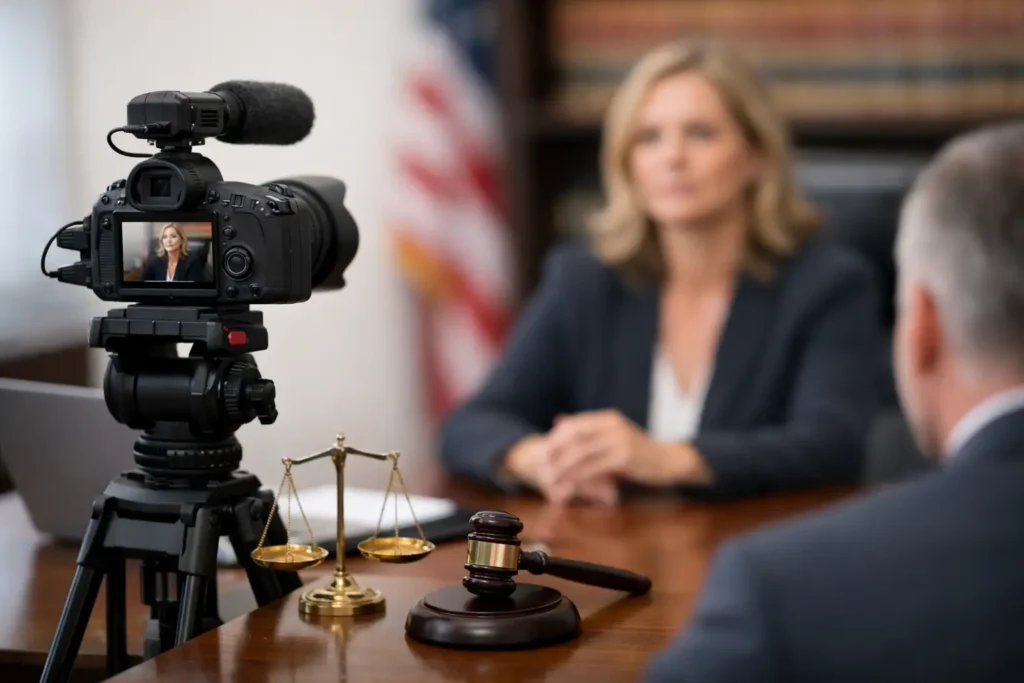
A witness is available for one hour, opposing counsel is dialing in remotely, the court reporter needs a clean feed, and trial deadlines are already tight. That is where a strong legal videography guide becomes practical, not theoretical. For litigation teams, video is not just another media file. It is evidence, impeachment material, demonstrative support, and sometimes the clearest way to present facts that paper alone cannot carry.
Legal videography works best when it is handled as part of case strategy from the start. The goal is not simply to record what happened in the room. The goal is to create an accurate, usable, court-ready record that holds up under scrutiny and remains efficient for attorneys to work with later.
What a legal videography guide should actually cover
A useful legal videography guide should answer three questions. First, what must be captured correctly at the moment of recording? Second, how will that footage be used later in motion practice, mediation, or trial? Third, what production choices affect admissibility, clarity, and turnaround?
Those questions matter because legal video is different from corporate or event production. In litigation, aesthetics are secondary to accuracy and procedure. Camera placement, audio integrity, time and date practices, exhibit handling, and chain of custody all affect whether footage becomes an asset or a problem.
That does not mean production quality is irrelevant. It means quality has a legal purpose. Clean audio helps preserve testimony. Proper framing helps the viewer assess demeanor. Reliable backup procedures protect the record. Fast delivery keeps the legal team moving when deposition designations or hearing exhibits are due.
Deposition video: where most legal video work begins
Video depositions are often the foundation of legal videography. At first glance, the assignment can seem simple – one camera, one witness, one room. In practice, small production failures create large downstream consequences.
The first priority is witness capture. Framing should be consistent and neutral, with clear visibility of the witness’s face and expressions. Distracting backgrounds, poor lighting, or awkward camera angles can make later playback less effective and, in some cases, less credible.
Audio is even less forgiving. If testimony cannot be clearly heard, no amount of editing will fix the record. That is why experienced legal videographers build for redundancy, monitor continuously, and understand how to manage room acoustics, remote participants, and overlapping voices.
Then there is procedure. A deposition video must be recorded in a way that aligns with legal expectations, not general production habits. Opening statements on the record, visible identification, and consistent operational practices matter. So does coordination with the court reporter and counsel so everyone understands how exhibits, breaks, objections, and off-the-record discussions will be handled.
Zoom and hybrid depositions require more control, not less
Remote and hybrid proceedings have made legal video more flexible, but not easier. In many cases, they require tighter planning because risk points multiply. There may be witness audio coming from one location, questioning from another, exhibits shared digitally, and a mix of in-room and remote attendees.
A solid legal videography guide should treat hybrid work as its own discipline. Connection stability, screen capture quality, participant identification, echo control, and backup recording plans all need to be addressed in advance. If one party assumes the platform itself is enough, problems tend to surface when it is least convenient.
There is also a strategic question. Not every matter is equally well suited to a fully remote format. If witness demeanor is central, if exhibit handling will be heavy, or if technology comfort is low, an in-person or professionally managed hybrid setup may serve the case better. Convenience matters, but so does the quality of the final record.
Transcript synchronization turns footage into a working litigation tool
Raw deposition video has value. Synchronized video and transcript have much more. Once testimony is synced to the certified transcript, attorneys can search, review, designate, and prepare clips far more efficiently.
This is one of the most underestimated parts of legal video workflow. Without synchronization, trial prep becomes slower and more manual. With it, legal teams can move from reviewing testimony to building specific playback segments without recreating work under deadline pressure.
The benefit is not limited to trial. Synced clips can support mediation, witness prep, impeachment planning, and internal case evaluation. When a key answer needs to be located quickly and shown accurately, synchronization saves time and reduces the chance of error.
Editing for legal use is about precision, not polish
Legal video editing is not promotional editing. The editor’s job is to preserve accuracy while preparing the footage for a specific legal purpose. That may include excerpting designated testimony, creating objection-responsive versions, formatting clips for courtroom playback, or preparing demonstrative sequences tied to the case narrative.
Precision matters at every step. A poorly trimmed clip, an inconsistent label, or an output format that does not play reliably in court can waste valuable time. The legal team should not have to explain litigation basics to the editor. They should be working with someone who already understands transcript references, designation workflows, and the practical demands of courtroom presentation.
There is also a trade-off to manage. The more customized the deliverable, the more lead time and review may be required. If trial is approaching, experienced providers help counsel prioritize what must be prepared first and what can wait.
Day-in-the-life and accident reconstruction work carry a different standard
Some of the most persuasive legal video is not deposition footage at all. Day-in-the-life productions and accident reconstruction support can help a judge, jury, mediator, or insurer understand facts that are difficult to convey through testimony alone.
These projects require technical skill, but they also require restraint. A day-in-the-life video should present daily limitations honestly and clearly, without crossing into dramatization. An accident reconstruction presentation must align with expert analysis and documented evidence, not creative interpretation.
This is where experience matters most. The production team needs to know how to build a compelling visual record while protecting credibility. If the video feels overstated, it can undermine the point it was meant to strengthen.
Choosing a legal videography provider
Not every capable videographer is a legal videographer. For attorneys and litigation support teams, the right provider should understand procedure, deadlines, and the fact that reliability is part of the service.
Ask practical questions. How do they handle backup recording? What is their process for syncing transcripts and preparing trial clips? How quickly can they turn around edited footage when a hearing date changes? Have they worked across in-person, Zoom, and hybrid deposition formats? Do they understand courtroom playback requirements before trial week arrives?
Credentials and tenure matter too, especially in high-stakes matters. A provider with longstanding legal-video experience usually sees issues before they become problems. That judgment is difficult to replace with general production talent.
For Seattle-area firms, that local experience has added value. Venue expectations, travel logistics, courthouse workflows, and established coordination habits can all affect how smoothly a job runs. Royal Video Productions Inc. has built its reputation on exactly that kind of specialized, litigation-focused execution.
Common mistakes that create avoidable risk
The most common mistake is waiting too long to involve video support. If legal videography is treated as a last-minute add-on, the team may lose options on scheduling, formatting, and post-production.
Another mistake is assuming all deliverables are interchangeable. A file that plays on a laptop is not necessarily prepared for courtroom use. A recording that exists is not the same as a recording that is organized, synced, and ready for presentation.
Teams also run into trouble when they underestimate remote complexity. Hybrid matters can look efficient on the calendar and become messy in practice if no one owns the technical side. Legal video support should reduce attorney workload, not add another layer to manage.
Why this matters beyond the recording itself
The best legal video does two things at once. It preserves the record accurately, and it makes that record easier to use when the case is moving quickly. That is the standard worth aiming for.
A good legal videography guide is not about cameras for their own sake. It is about helping litigators avoid preventable problems, present facts clearly, and work faster when deadlines tighten. When the production process is handled by specialists who understand legal use from the outset, the video stops being one more task to supervise and starts becoming a dependable litigation asset.
The right footage, prepared the right way, gives your team one less thing to worry about when the stakes are already high.