
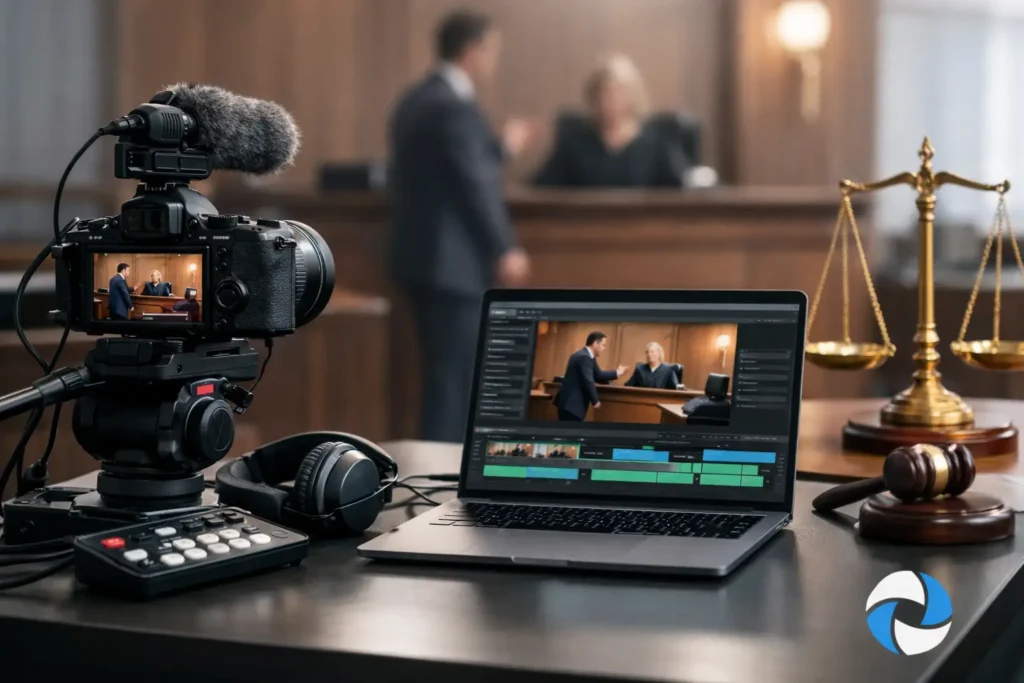
When a deposition runs long, a witness appears remotely, and trial dates shift with little notice, video can either simplify the case or create more work. A clear guide to litigation video workflow helps legal teams stay organized from scheduling through final playback, with fewer surprises and stronger courtroom readiness.
Why litigation video workflow matters
In legal matters, video is not just another media file. It is part of the evidentiary record, part of trial preparation, and often part of how a case is understood by decision-makers. That changes the standard. The workflow has to support accuracy, chain of custody, timing, transcript alignment, and reliable delivery under deadline.
A weak process usually shows up in predictable ways. Files arrive in the wrong format. A key clip is not synchronized to the transcript. Remote participants have audio issues that were never addressed during setup. Trial teams spend valuable hours trying to locate clean excerpts instead of preparing arguments. None of those problems are dramatic, but each one costs time and confidence.
A strong workflow does the opposite. It gives attorneys, paralegals, and trial support staff a structure for requesting, capturing, reviewing, editing, and presenting video without constant rework. It also makes communication with a legal video specialist far more efficient, especially when schedules tighten.
A practical guide to litigation video workflow
The most effective litigation video workflow starts before the camera is ever turned on. Pre-production is where legal teams define what the video must accomplish and what rules or constraints will govern the deliverable. In a video deposition, that means confirming date, time, location, witness format, and any remote platform requirements. In a day-in-the-life or accident reconstruction matter, it means clarifying purpose, audience, locations, and whether the video is intended for mediation, settlement discussions, or courtroom use.
This early stage is also where expectations should become specific. If counsel will need transcript synchronization, excerpting, impeachment clips, or trial-ready playback files, that should be established at the outset. The more the production team knows about the intended use, the better they can capture and structure the material in a way that supports later stages.
There is a practical trade-off here. Some teams try to keep initial instructions minimal to save time. That can work for routine matters, but it often creates downstream delays when the case requires edited segments, synchronized testimony, or multiple delivery versions. A short planning conversation usually saves far more time than it takes.
Stage 1: Intake and case planning
A clean intake process should identify the case name, deponent or subject, scheduling details, counsel information, venue requirements, and expected deliverables. It should also note whether the matter involves in-person, Zoom, or hybrid deposition coverage. Hybrid matters in particular require tighter coordination because the workflow must account for both room-based capture and remote participant stability.
At this stage, legal teams should also surface any technical or procedural issues early. Will exhibits be introduced digitally, physically, or both? Is real-time communication between legal staff and the video team needed during the session? Will the final product need to match court-specific playback expectations? Those details affect setup, recording strategy, and post-production choices.
Stage 2: Production and capture
During capture, consistency matters more than flash. Legal video is not about creative camera work. It is about clean framing, intelligible audio, documented handling, and reliable recording throughout the proceeding. A professional legal video operator understands that the record comes first.
For depositions, that means stable image composition, proper witness identification on the record, and attention to audio from every participating source. In remote and hybrid settings, audio is often the first weak point. If remote counsel, interpreters, or witnesses are not monitored carefully, the final recording can become difficult to use. Good workflow includes live oversight, backup awareness, and immediate troubleshooting rather than fixing what can no longer be fixed later.
For demonstrative or documentary litigation video, production choices depend on the purpose. A day-in-the-life video requires sensitivity, continuity, and factual clarity. An accident reconstruction support video may require precise visual documentation and coordination with experts. The workflow changes, but the standard remains the same: accuracy first, presentation second.
Stage 3: File handling and media organization
Once recording ends, the workflow is only as strong as the file management that follows. Raw footage, backup copies, logs, and naming conventions need to be organized immediately. This is one of the least visible parts of the process, but it is where many avoidable problems begin.
Legal teams benefit from a system that clearly separates raw source files from working edits and final deliverables. Matter-based file naming, date consistency, and documented version control reduce confusion when several rounds of edits or requests occur. If transcript synchronization is part of the project, media should be prepared in a way that allows efficient alignment once the certified transcript is available.
This is also where responsiveness matters. Cases rarely move in a straight line. A witness may need an expedited excerpt. A mediation date may move up. Trial strategy may shift after reviewing testimony. Organized media makes those changes manageable.
Guide to litigation video workflow for post-production
Post-production is where captured material becomes usable legal work product. Depending on the matter, this can include transcript synchronization, clip creation, objection handling support, exhibit integration, title screens, and export into formats suitable for review or courtroom playback.
Transcript synchronization is often the turning point between a video that exists and a video that can actually be used efficiently. When testimony is synced properly, attorneys can search, review, designate, and prepare excerpts with far less friction. It becomes easier to isolate testimony for impeachment, mediation, or trial presentation. Without sync, even straightforward review can become slower than it should be.
Editing in litigation work requires restraint and precision. The goal is not stylistic polish for its own sake. The goal is a clear, accurate presentation that aligns with procedural needs. If a clip is being prepared for trial, every edit decision should support admissibility, clarity, and technical dependability. That includes watching for export settings, playback compatibility, and the inclusion of any necessary labels or references.
It also depends on timing. Some edits can wait until strategy is settled. Others need immediate turnaround because hearings and deadlines do not move. An experienced legal video partner knows the difference and builds the workflow around the court calendar, not around generic production timelines.
Stage 4: Review and revision
The review stage should be structured, not open-ended. Legal teams should know what they are reviewing for: content accuracy, transcript alignment, requested excerpt points, labeling, and playback functionality. When feedback is centralized and specific, revisions move quickly. When multiple reviewers provide fragmented notes in different formats, even simple changes can take longer than necessary.
This stage is also where practical judgment matters. Not every project needs the same level of revision. A straightforward deposition recording may require limited post-production. A settlement video or trial package may require more detailed review across attorneys, support staff, and presentation teams. The right workflow scales to the case rather than forcing every matter through the same process.
Stage 5: Delivery and trial readiness
Final delivery is more than sending a file. The deliverable should be court-ready, clearly labeled, and matched to the way the legal team will actually use it. That might mean synchronized files for review software, designated clips for presentation, or formats prepared for courtroom playback systems.
This is where last-minute friction can be avoided. If trial counsel needs a clip package organized by witness, issue, or designation set, that should be reflected in the final structure. If the matter is headed to mediation rather than trial, the delivery may need to emphasize quick review and presentation simplicity. The workflow should reflect the event, not just the file type.
For legal teams in the Seattle area, working with a specialist who understands these differences can remove a great deal of operational pressure. Royal Video Productions has built its process around that reality: accurate capture, responsive communication, and deliverables that support the actual pace of litigation work.
Where legal teams gain the most from a better workflow
The biggest gains usually come from fewer handoff problems. When scheduling, capture, synchronization, editing, and delivery are treated as one connected workflow, legal teams spend less time chasing logistics and more time preparing the case. That is especially valuable in matters involving multiple witnesses, hybrid depositions, expedited deadlines, or video intended for persuasive use.
It also improves confidence. Attorneys should not have to wonder whether a video will play properly, whether a synced transcript will align correctly, or whether a requested excerpt can be turned around in time. A dependable workflow reduces those questions before they become problems.
The right process is rarely the most complicated one. It is the one that anticipates what legal teams actually need, preserves accuracy at every stage, and stays flexible when the case changes. When litigation video is handled that way, it becomes what it should be from the start: a reliable tool that supports the case instead of slowing it down.