
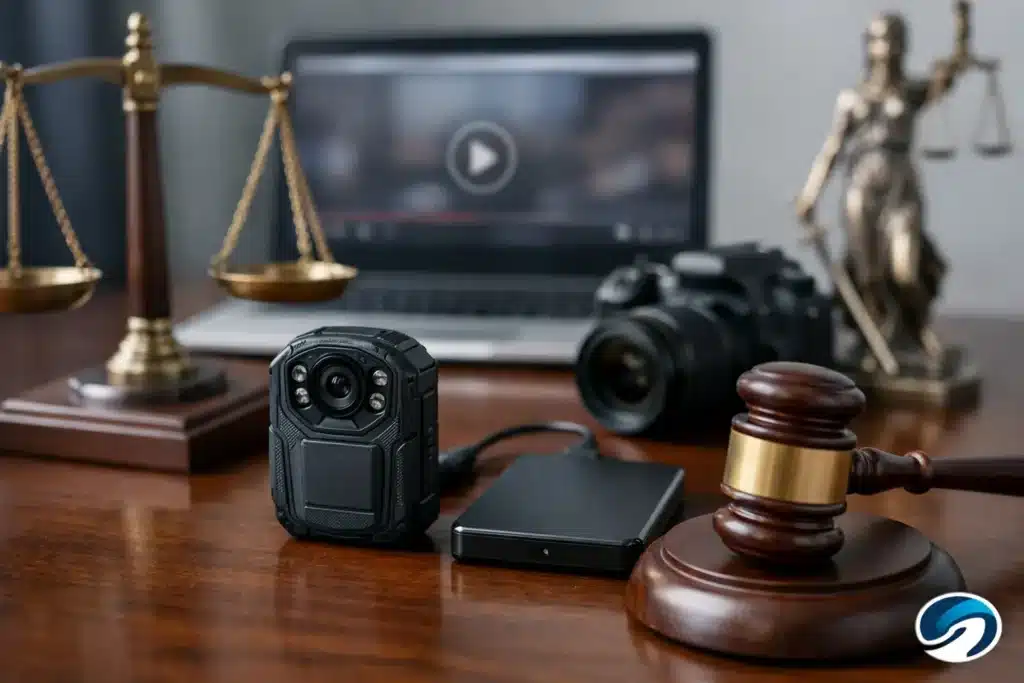
A surveillance system may overwrite critical footage within days. A phone can change a file when it is edited, shared, or uploaded. A social media clip may disappear without notice. Knowing how to preserve video evidence early can determine whether a useful recording becomes persuasive proof or an avoidable evidentiary dispute.
For legal teams, preservation is more than saving a playable copy. The objective is to retain the original evidence, document each person and system that handled it, and create working versions without altering the source. That process supports authentication, limits spoliation concerns, and gives counsel a dependable asset for discovery, mediation, deposition preparation, and trial.
Preserve the source before it changes
The first rule is simple: identify the earliest, most complete source available and protect it immediately. Do not begin with a screen recording, a clip sent by text message, or an edited excerpt if the native recording can still be obtained. Those versions may be useful for review, but they are not a substitute for the source file or original system export.
Send a written preservation request as soon as the likely custodian is known. This may be a business with security cameras, a property manager, a vehicle owner, an employer, a government agency, a witness, or a party to the case. The request should identify the relevant date, time range, location, camera or device if known, and the need to preserve all available footage, not merely a short segment.
Time matters because many systems use automatic overwrite cycles. The relevant event may occur at 2:14 p.m., but the footage before and after it can establish lighting, traffic, weather, who entered or left the area, camera placement, or whether the recording appears continuous. Request a reasonable window around the incident, including footage from nearby cameras when appropriate.
When collecting video from a phone, dash camera, body-worn camera, doorbell camera, or cloud platform, ask for the original file and available export options. If the source system can generate an authenticated download or export report, preserve that material with the video. A downloaded copy from a platform may differ from a file saved on the device, so document exactly how it was obtained.
How to preserve video evidence without changing it
Once video is received, protect the original from accidental modification. Store the received file in a restricted evidence location, assign it a clear identifier, and avoid opening it in editing software. Even seemingly harmless actions can create new files, strip metadata, alter timestamps, or make it harder to explain what happened later.
Create a verified duplicate for review and production. The original should remain untouched while attorneys, paralegals, experts, and vendors work from copies. A sensible file structure separates the source evidence, verified archival copy, working copy, and any edited demonstrative or deposition exhibit.
At minimum, record the file name, format, file size, date and time received, source, method of transfer, and the person who took custody. Where the matter calls for a higher level of technical verification, create a cryptographic hash value for the original and each forensic copy. Matching hash values provide a reliable way to show that a copy is identical to the preserved source.
Do not rename the original file to make it easier to understand. Put descriptive information in a separate evidence log or folder label. A name such as `IMG_4729.MOV` may be inconvenient, but changing it removes one more detail that could later help establish provenance.
Build a chain of custody that can be explained
A chain of custody is not paperwork for its own sake. It is the record that allows a witness or attorney to explain where the video came from, how it was transferred, who had access to it, and whether it remained materially unchanged.
The documentation should begin before the file reaches the firm whenever possible. Record the custodian’s identity, the device or system used to create the recording, and the collection method. If a security manager exported video from a network video recorder, document the manager’s name, the system, the cameras selected, the export date, and whether the system displayed a time zone or timestamp setting.
Each later transfer should be recorded as well. Note when an evidence drive was received, when a secure transfer was downloaded, when a copy was provided to an expert, and when footage was sent for legal video production. Keep originals and logs in access-controlled storage. If physical media is involved, label it consistently and retain it in a secure location.
The level of formality depends on the case. A minor matter may not require a forensic collection protocol. A catastrophic injury claim, contested police encounter, commercial vehicle collision, or case involving allegations of alteration may require more detailed procedures. The key is to use a process proportionate to the stakes and capable of clear testimony later.
Preserve metadata, context, and the playback environment
Video rarely speaks for itself. Metadata and contextual records can be just as valuable as the images. Preserve available information about creation date, modification date, device model, camera location, frame rate, resolution, codec, duration, and time zone. If the system clock was incorrect, document that fact rather than trying to correct the file.
Also preserve the information needed to understand what the camera captured. For surveillance footage, that may include a site map, camera map, still photographs showing camera placement, system manuals, export instructions, and maintenance records. For vehicle video, retain information about the camera, storage card, vehicle, and any associated telematics data. For a phone recording, document the device owner, device type, and whether the recording was sent through a service that may have compressed it.
Playback can present its own problem. Some proprietary systems export video in a format that requires a specific player or includes a separate viewer application. Preserve the player, instructions, and original export package where available. Converting footage to a common format may be necessary for review or courtroom playback, but that conversion should create a derivative copy, never replace the source export.
Avoid the common preservation mistakes
The most frequent error is relying on a convenience copy. A witness emails a clip, someone saves it to a desktop, and the team assumes the evidence is secure. The original may still be on a device that is later replaced, reset, overwritten, or lost. Follow up for the source.
Another mistake is editing before preservation. Trimming a file, adding labels, adjusting brightness, combining camera angles, or extracting audio can be useful for presentation, but it creates a new version. Retain the original and document every derivative. An edited clip can be highly effective at trial when it is accurately prepared and its relationship to the source is clear.
Screenshots and screen recordings create similar concerns. They may help counsel quickly assess content, but they can omit system information, reduce quality, fail to capture audio, or conceal the full context. Treat them as reference materials unless there is no better source available.
Finally, do not overlook retention notices and follow-up. A preservation letter is only the first step. Confirm receipt, ask about overwrite schedules, identify additional cameras or accounts, and promptly arrange collection. If a custodian says footage no longer exists, preserve that response and investigate whether prior copies, backup systems, or related recordings are available.
Prepare preserved video for litigation use
Preservation and presentation are separate tasks, but they should be planned together. Counsel needs footage that can be reviewed efficiently, produced accurately, and played reliably in a hearing room or courtroom. That may require a synchronized transcript, a time-coded review copy, a carefully documented excerpt, enhanced visibility for demonstrative purposes, or a format compatible with the court’s playback equipment.
Every presentation version should be traceable to the source. Keep a record of the software, settings, edits, and purpose of each derivative. If brightness, contrast, speed, zoom, annotations, or audio levels are adjusted, disclose and preserve the unaltered source alongside the enhanced version. The goal is clarity without creating confusion about what the camera actually recorded.
When video will carry significant evidentiary weight, involve qualified legal video support early. A specialist can help organize source files, create review and courtroom playback versions, synchronize testimony where needed, and maintain a production record that fits the realities of litigation deadlines.
A well-preserved recording gives the legal team options. It allows counsel to evaluate the full context before choosing an excerpt, respond confidently to authenticity challenges, and present the evidence in a form the fact finder can actually see and hear. The best time to establish that foundation is while the original evidence is still available.