
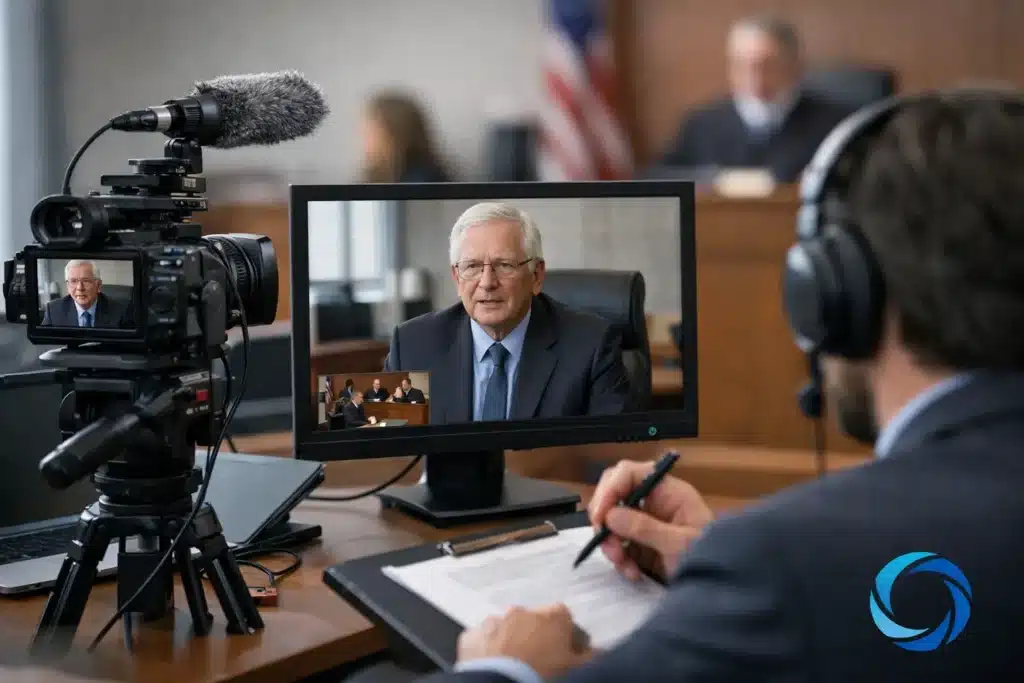
An expert may have impeccable credentials and a well-supported opinion, yet the value of that testimony can be diluted by avoidable video problems: an unstable remote connection, poor lighting, an unprepared exhibit, or a recording that cannot be located when trial preparation accelerates. Knowing how to coordinate expert witness video means managing the legal, technical, and scheduling details before they become distractions.
For attorneys and litigation support teams, the objective is not simply to record a witness. It is to preserve clear, credible testimony in a format that supports deposition practice, mediation, trial preparation, and courtroom presentation.
Start With the Intended Use of the Video
Coordination begins with a practical question: what must this video accomplish? A video deposition for preservation has different requirements from a short expert interview used to help counsel prepare a case theme. A remote deposition involving exhibits requires a more controlled workflow than a day-in-the-life production that includes expert commentary.
Establish the intended use before selecting a date, platform, or location. Confirm whether the testimony will be noticed as a deposition, whether opposing counsel will attend remotely, whether the court reporter will administer the oath remotely, and whether the final deliverable needs to be synchronized to a certified transcript. These decisions affect staffing, equipment, recording settings, exhibit handling, and post-production timelines.
This is also the point to identify governing requirements. Local rules, court orders, stipulations, and counsel’s preferences may affect how testimony is noticed, recorded, stored, and presented. A legal video professional can provide technical guidance, but counsel should confirm the procedural requirements applicable to the matter.
Build a Schedule That Respects the Expert’s Time
Expert witnesses often have demanding clinical, engineering, academic, or professional schedules. A rushed booking can create unnecessary pressure for everyone involved, especially when multiple attorneys, a court reporter, interpreter, videographer, and remote participants must attend.
Reserve more time than the anticipated examination alone. Build in a window for arrival, technical setup, an on-camera check, exhibit organization, breaks, and a contingency if the connection fails or questioning runs long. For a remote expert, schedule a brief technical test well before the deposition date rather than relying on a five-minute check immediately before the oath.
When travel is involved, confirm the expert’s recording location early. A quiet conference room with a reliable wired connection is usually preferable to a hotel room, hospital office, or active workplace. If the expert must appear from a professional office, ask whether there will be interruptions, patient traffic, overhead paging, or privacy restrictions that could affect the record.
Send a Clear Confirmation Packet
A concise confirmation packet reduces follow-up calls and gives the expert a dependable reference point. It should state the date, start time, time zone, location or remote platform details, expected duration, contact information for day-of support, and instructions for joining the session.
For remote appearances, include simple guidance: use a computer rather than a phone when possible, connect through wired internet or reliable Wi-Fi, close bandwidth-heavy applications, silence notifications, and join from a private room. The goal is not to overwhelm the witness with technical language. It is to eliminate the predictable problems that consume deposition time.
Prepare the Expert for the Camera, Not the Testimony
Counsel prepares the witness for substantive testimony. The video team prepares the environment so the witness can be seen and heard without distraction. Keeping those roles distinct protects the integrity of the process while producing a more useful visual record.
Ask the expert to wear solid, neutral colors and avoid tight patterns, reflective jewelry, or clothing that creates visible noise on camera. The witness should sit at a desk or table with a stable chair, a simple background, and enough room for proper camera framing. A camera positioned at eye level generally creates a more natural and professional appearance than a laptop placed low on a desk.
Audio deserves equal attention. Jurors and mediators can tolerate a less-than-perfect image more easily than unclear testimony. Remove nearby noise sources where possible, including fans, ringing phones, office alerts, and open windows facing traffic. A professionally placed microphone and active audio monitoring help ensure the record captures the expert’s actual words rather than the room around them.
Coordinate Exhibits Before the Record Begins
Exhibits are one of the most common friction points in expert witness video. Confusion arises when participants have different versions of a report, when marked exhibits are not visible to remote attendees, or when a witness is asked to annotate a document without a workable process.
Determine in advance how exhibits will be marked, introduced, displayed, and retained. If documents will be shared electronically, use a controlled folder or platform process that allows the examining attorney, witness, court reporter, opposing counsel, and videographer to identify the same item at the same time. Name files consistently and avoid last-minute revisions without communicating them to all participants.
For physical models, medical imaging, engineering diagrams, or oversized demonstratives, the production plan may need additional camera coverage or document capture. A standard head-and-shoulders shot may be sufficient for testimony, but it will not show the detail of a damaged component or a physician’s annotation on an anatomical illustration. Discuss these materials with the video professional ahead of time so the appropriate equipment and framing are available.
Use a Legal Video Workflow for Remote and Hybrid Testimony
Remote and hybrid proceedings require more than opening a meeting link. The video record must remain intelligible when people speak from different locations, documents are introduced electronically, and connection quality varies throughout the examination.
A legal video workflow includes redundant recording where appropriate, active monitoring of audio and video quality, clear identification of speakers, and a plan for interruptions. If a participant freezes, loses audio, or drops from the session, counsel should be able to stop, clarify the record, and resume without uncertainty about what was captured.
Hybrid matters add another layer. Participants in the conference room need to hear remote attendees clearly, while remote attendees need a clean view of the witness, counsel, and exhibits. Improvised speakerphones and wide-angle laptop cameras often create a record that is technically available but difficult to use. Professional room audio, dedicated camera coverage, and managed display feeds make the proceeding easier to conduct and easier to review later.
Plan the Deliverables Around Case Deadlines
The recording date is only one part of the assignment. Legal teams should decide what they need after the session: the original video file, a deposition video format suitable for review, synchronized video and transcript, clips for mediation or trial, edited designations, or exhibit-focused footage.
Transcript synchronization is particularly valuable when attorneys need to review expert testimony efficiently, identify designations, or present testimony with searchable text. It allows the transcript and video to work together, helping trial teams locate a specific opinion without repeatedly scrubbing through a long recording.
Discuss turnaround expectations before the deposition, especially when dispositive motions, mediation, trial designations, or court-ordered deadlines are near. Fast delivery is useful only when file naming, media formats, transcript materials, and quality control are managed carefully. The best workflow balances urgency with accuracy.
Protect the Chain of Communication
Choose one person on the legal team to serve as the primary production contact. That person can confirm final logistics, distribute access information, communicate changes, and approve deliverables. Too many parallel instructions can lead to conflicting start times, duplicate exhibit sets, or uncertainty about who has authority to make a day-of decision.
At Royal Video Productions, legal video coordination is handled with the understanding that schedules change and court deadlines do not. Experienced support helps keep the technical side organized so attorneys can focus on the examination and the case.
A Better Record Begins Before the Camera Rolls
The strongest expert witness video is rarely the result of expensive equipment alone. It comes from early planning, a witness-friendly setup, disciplined exhibit management, and a production team that understands litigation procedure. When those details are handled in advance, the expert’s testimony has room to do what it is meant to do: explain the evidence clearly and credibly.