
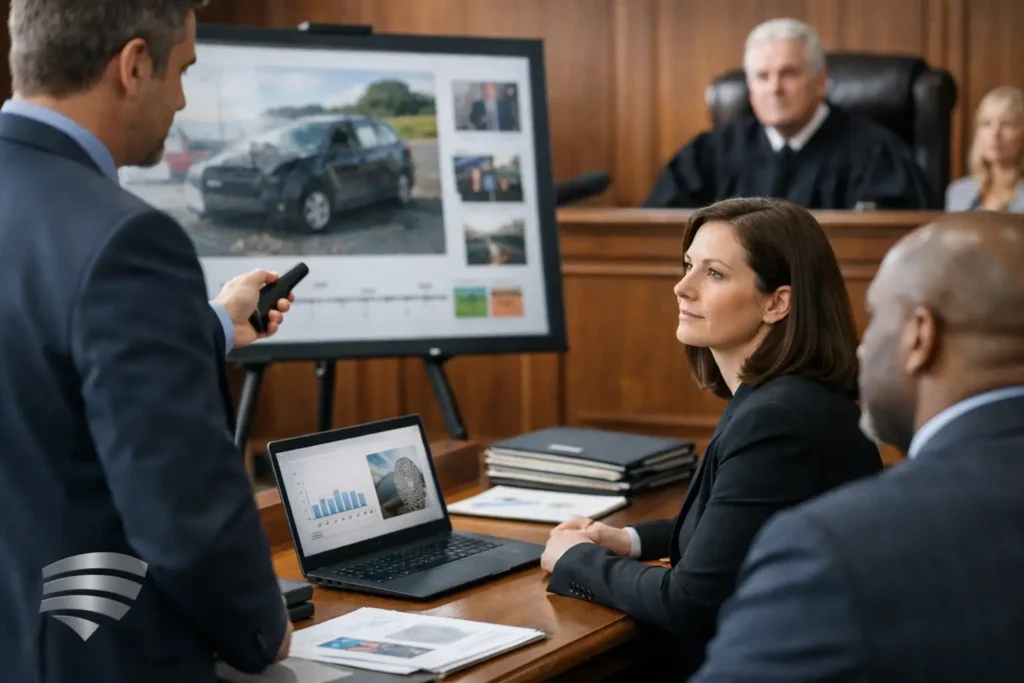
A juror cannot weigh what they cannot follow. When testimony, records, photographs, surveillance footage, and demonstratives arrive without a clear sequence, even strong facts can lose force. A disciplined evidence presentation strategy gives the trial team a practical way to organize proof, anticipate technical issues, and present the case in a form the finder of fact can absorb.
For litigators, this is not simply a trial graphics exercise. It begins well before opening statement, often during discovery and deposition preparation. The objective is to make each piece of evidence easier to introduce, easier to understand, and easier to recall during deliberations without overstating what the evidence proves.
Start With the Proof, Not the Technology
Legal teams sometimes begin by asking what format will look most compelling on courtroom screens. That question matters, but it comes after the more consequential work: identifying the facts that must be established and matching each fact to admissible proof.
A useful starting point is a proof map. For every disputed issue, identify the witness testimony, documents, video, photographs, expert opinions, and physical evidence that support or challenge it. Then identify what the opposing party is likely to say about each item. This process exposes gaps early. It also prevents a presentation from becoming a long sequence of exhibits with no apparent purpose.
For example, in a personal injury matter, medical records may establish treatment chronology, testimony may explain limitations, and a day-in-the-life video may provide context that records alone cannot convey. Each serves a different evidentiary function. The presentation should preserve those distinctions rather than asking one exhibit to carry the entire argument.
The governing rules, judicial preferences, and case posture always matter. Counsel must determine admissibility and foundation. Production support should be planned around those decisions, not used as a substitute for them.
Build an Evidence Presentation Strategy Around the Case Theory
A case theory is the lens that helps the court or jury understand why the evidence matters. Your evidence presentation strategy should make that theory visible through sequence, pacing, and emphasis.
That does not mean every exhibit must repeat the same message. Repetition can become noise. Instead, arrange the evidence so each category answers a question the audience naturally has. What happened? Who knew what, and when? What changed afterward? What does the expert analysis confirm or dispute?
A chronology is often the backbone, particularly in liability disputes, employment matters, medical cases, and accident claims. Yet chronological order is not always the best order for every portion of a trial. An expert examination may be more understandable when it begins with the expert’s conclusion, then walks back through the underlying data. A deposition clip may carry more impact after the jury has seen the relevant document or photograph.
The right sequence depends on the audience’s existing knowledge, the complexity of the facts, and the evidentiary rulings in the case. The point is intentionality. If the order changes, it should change for a reason the team can articulate.
Separate evidence from advocacy
Clear presentation strengthens credibility when it distinguishes source material from attorney argument. Label demonstratives accurately. Maintain visible exhibit identifiers when appropriate. Avoid editing choices that could create a misleading impression of testimony, timing, or context.
This is especially important with video. A short deposition designation can be highly effective, but the edit must retain the testimony needed for a fair understanding of the exchange and comply with the court’s rulings. Transitions, captions, callouts, and excerpts should clarify the record, not distort it.
Treat Video as Evidence That Needs Preparation
Video is powerful because it preserves voice, pauses, demeanor, movement, and setting. It is also less forgiving than a paper exhibit when there is a technical failure, a missing designation, or an unclear audio segment. Courtroom-ready video requires preparation well beyond exporting a file.
Deposition video should be synchronized with the certified transcript when the case calls for it. Synchronization allows counsel to locate designated testimony quickly, display text with the speaker, and move efficiently through objections, redirects, and rulings. It can also help the team confirm that the planned clip matches the final designation list.
For a witness appearing by Zoom or in a hybrid deposition, quality control starts with the capture itself. Audio, camera placement, lighting, participant identification, recording settings, and a reliable connection can affect the usefulness of the record. A professional legal video team understands that the finished product may be reviewed months later by people who were not present when the testimony occurred.
When preparing edited clips, keep a full-quality master and document the source files, transcript version, edit instructions, and approval process. This protects against last-minute questions and makes revisions more manageable when a court ruling changes the permitted material.
Design Demonstratives for Comprehension Under Pressure
Demonstratives should reduce cognitive load, not add to it. A juror who is trying to read a crowded timeline, decode tiny medical records, and listen to examination at the same time may miss all three.
The best demonstratives make one point at a time. A timeline should emphasize the dates that matter rather than every event in the file. A medical illustration should orient the viewer before highlighting the injury. An accident reconstruction animation should make its assumptions and source material clear enough that the testimony, not the animation alone, carries the opinion.
Text must be readable from the back of the courtroom. Visual contrast, restrained color use, and consistent labels matter. So does pacing. Give the audience time to look at an exhibit before asking a witness to interpret it. If a demonstrative requires several minutes of explanation before it becomes understandable, it may need to be simplified.
There is a trade-off. Simplification helps comprehension, but oversimplification can invite objections or create openings on cross-examination. Work closely with counsel and experts to ensure every visual accurately reflects the underlying evidence and the intended testimony.
Plan for the Courtroom You Will Actually Use
A presentation tested on an office monitor can fail in court for ordinary reasons: a different screen resolution, a weak audio connection, incompatible media playback, limited sightlines, or no reliable internet access. Courtroom logistics belong in the evidence plan.
Before trial, confirm the available display equipment, audio path, ports, file formats, courtroom layout, and rules for bringing in equipment. Bring tested backups of presentation files and video media. Confirm who will operate playback, how exhibits will be called up, and what happens if the court needs a clip replayed immediately.
This is where experienced legal video support earns its place. Royal Video Productions prepares legal video and presentation assets with the realities of deposition designations, court deadlines, and courtroom playback in mind. The goal is not to make the technology noticeable. It is to make it dependable enough that counsel can stay focused on the examination.
Rehearse the handoffs
A short technical rehearsal can prevent a long interruption. Practice the transition from direct examination to a video clip, from a document to an enlarged callout, and from an expert’s testimony to a demonstrative. Confirm how counsel will communicate with the operator and how objections or sidebars will be handled.
Rehearsal also reveals whether the presentation pace supports the witness. A witness should not be left waiting while an operator searches for an exhibit. Nor should a critical clip begin before the jury has been oriented to what they are about to see.
Keep a Version-Control Process From Day One
Trial preparation creates versions quickly: revised exhibit lists, amended deposition designations, new redactions, updated demonstratives, and rulings that change what can be shown. Without a disciplined naming and approval process, the wrong file can reach the courtroom.
Use a single source of truth for final materials. Give files clear names that identify the exhibit, version, and date. Record whether a file is working, pending approval, or final for use. When redactions are required, confirm them visually and retain the unredacted source separately under appropriate controls.
This process may feel administrative, but it protects credibility. Nothing distracts from a carefully built presentation faster than displaying an outdated exhibit, playing an unredacted clip, or discovering that a final edit was never loaded onto the presentation system.
Measure Success by Clarity and Control
An effective presentation does not have to be elaborate. In some cases, a synchronized deposition clip and a clean timeline will do more than a large collection of animated graphics. In others, a carefully produced day-in-the-life video or reconstruction support may be necessary to make an experience or sequence of events understandable.
The test is whether the presentation gives the factfinder a reliable path through the proof. Can they see the source? Can they connect it to the witness and the issue? Can the team retrieve it accurately when the court asks for it again?
When the evidence is organized before the pressure of trial begins, technology becomes a support for judgment rather than a risk to manage. That is the practical value of preparation: a legal team that can present the record clearly, respond quickly, and let the facts carry their intended weight.