
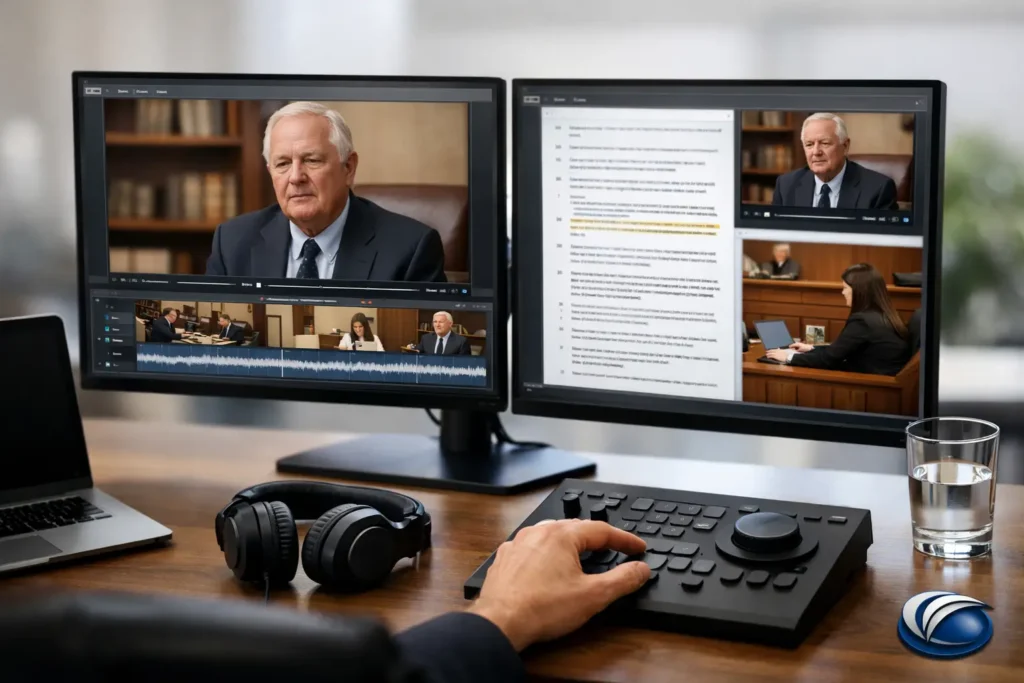
A deposition clip can be factually decisive and still lose force if the transcript highlights appear late, the clip begins mid-answer, or counsel must search for the correct segment during a hearing. Preparing synchronized deposition clips is therefore not simply an editing task. It is a controlled litigation-support process that connects the certified transcript, deposition video, party designations, objections, and playback requirements into a courtroom-ready presentation.
For attorneys and legal teams, the objective is simple: when a clip is played, the video, audio, and on-screen transcript must track together precisely, with enough context for the fact finder to understand the testimony and no unnecessary material that creates risk or distraction.
Start With the Controlling Record
The certified deposition transcript should control the clip preparation process. Before any designations are edited into video, confirm that the transcript is final and that the video file is complete, legible, and properly associated with the witness and deposition date. A corrected transcript, an amended errata page, or a replacement video file can affect timing and text accuracy.
Synchronization means matching each spoken word to the corresponding transcript text. A professional legal video workflow maps the transcript’s page-and-line structure to the video timecode so that the active text follows the witness’s testimony during playback. This alignment supports both persuasive presentation and efficient navigation when counsel needs to locate testimony quickly.
Confirm the basic source materials early: the final transcript in a usable digital format, the original or highest-quality deposition video, exhibit references if they will be displayed, and the current designation materials from all parties. If a deposition was remote or hybrid, review the recording for screen-share segments, participant layout changes, interruptions, and audio inconsistencies. These details are manageable when identified before the final editing stage.
Build Designations Before Building Clips
The most efficient way to prepare synchronized deposition clips is to settle the intended designations first. Counsel should identify testimony by page and line, then review each proposed excerpt in video form before treating it as final. A clean transcript excerpt may contain an awkward pause, an off-camera discussion, a technical interruption, or a demonstrative gesture that changes how the testimony lands on screen.
Context matters. A clip should generally begin where the question and answer can be understood without forcing the viewer to infer what came before. It should also end at a logical stopping point. Cutting directly after a favorable phrase may appear abrupt, while including too much surrounding testimony can dilute the point or introduce material that is not necessary for the purpose of the clip.
For longer examinations, group designations by issue, witness, claim element, or anticipated trial sequence. That organization makes it easier to assess overlap, identify objections, and decide whether several short excerpts should become one continuous clip. It also gives the trial team a usable presentation plan rather than a folder of disconnected video segments.
Review Counter-Designations and Objections Carefully
A clip is not ready merely because one party has designated it. Review counter-designations, objections, rulings, and agreements as they develop. The final video must reflect the operative record, not an early working draft.
If testimony is excluded, the corresponding video and transcript text must be removed cleanly. If a ruling requires a curative excerpt or additional context, add it intentionally and verify the revised transition. Avoid relying on a last-minute manual skip during playback. That approach creates avoidable uncertainty in a setting where timing and credibility matter.
For disputed passages, maintain clear version control. Label working drafts, approved edits, and final deliverables in a way that prevents an outdated clip from being used at mediation, in a hearing, or at trial. A reliable legal video provider can manage these revisions while keeping counsel informed of what changed and why.
How to Prepare Synchronized Deposition Clips for Playback
Once designations are confirmed, the technical editing can proceed. The editor sets accurate in and out points, synchronizes transcript text with the selected video, applies any approved redactions, and creates a playback format appropriate for the venue or presentation system.
The best clip boundaries are usually determined by both the transcript and the visual record. Start after non-substantive preliminaries when appropriate, but do not remove language needed to establish the question. At the end, allow the witness to complete the responsive thought. A fraction of a second can make the difference between a natural close and an edit that draws attention to itself.
Transcript display should be readable at a distance. The active text needs to advance in time with the witness, and page-and-line references should remain accurate for counsel. The presentation should support the testimony, not compete with it. Overdesigned graphics, inconsistent fonts, or excessive visual effects are rarely useful in a legal setting.
When exhibits are part of the testimony, decide how they will be handled. Sometimes the witness’s reference is understandable without showing the exhibit. In other situations, the jury or mediator needs to see the document, photograph, or diagram to follow the answer. If an exhibit is displayed, verify that it is the correct version, that any required redactions are applied, and that the transition between witness video and exhibit view is clear.
Check the Details That Cause Playback Problems
Quality control is where a synchronized deposition clip becomes dependable. A final review should be performed from beginning to end, not only by checking the selected transcript lines. Watch the actual video at normal speed and confirm that the audio, image, and highlighted transcript remain in alignment throughout each segment.
Review for clipped words at the beginning or end, audible edits, missing text, incorrect speaker identification, and transcript discrepancies. Confirm that redactions cover both the visual and audio components when required. A visual blur without an audio edit, or a silent gap that leaves disallowed transcript text on screen, can create a serious problem.
Also test the files in the environment where they will be used whenever possible. A clip that plays properly on an office workstation may behave differently through a courtroom display, a conference-room projector, or a remote mediation platform. Verify volume levels, screen resolution, file naming, and navigation. Keep a backup copy in an approved format and make sure the presentation team knows which version is final.
Plan for Deadlines and Last-Minute Changes
Litigation schedules rarely leave much room for rework. Trial rulings can change overnight, deposition designations can be exchanged late, and a witness’s video may become more important after another evidentiary development. The practical answer is to begin synchronization and organization early, even if final clip selections are still being refined.
Early preparation does not mean locking in premature edits. It means verifying source materials, creating a reliable synchronized transcript, organizing designations, and establishing a process for revisions. That foundation allows final court rulings to be incorporated quickly without sacrificing accuracy.
For complex matters, assign one person on the legal team to communicate final designation changes and approvals. This reduces conflicting instructions and gives the video professional a clear record of what is authorized. It also helps preserve a clean chain from the litigation team’s decisions to the final playback files.
Use a Legal Video Specialist When Precision Matters
General video editing experience is not the same as legal video experience. Synchronized deposition clips must be prepared with an understanding of transcript conventions, objections, redactions, evidentiary rulings, and the practical demands of courtroom playback. The work requires precision, but it also requires responsiveness when the case schedule changes.
Royal Video Productions works with Seattle-area legal teams to produce synchronized deposition video that is organized, accurate, and ready for mediation, hearing, or trial use. The goal is to give counsel confidence that the presentation will support the argument rather than create a technical distraction.
The most useful final test is straightforward: if the court asked for a specific passage without warning, could your team locate it, play it, and rely on its accuracy immediately? Preparing that level of readiness before the pressure of trial gives the testimony its best opportunity to be heard.