
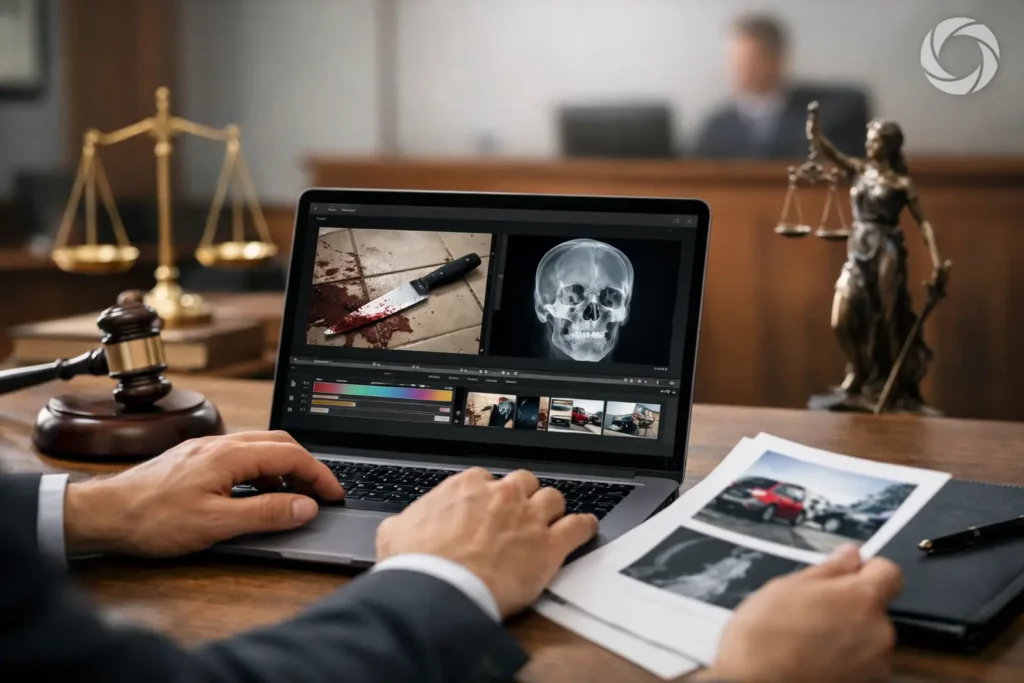
A trial exhibit can be factually sound and still fail to communicate under courtroom conditions. A grainy surveillance clip, an unreadable document scan, or a lengthy recording with no practical navigation can slow the presentation and pull attention away from the testimony. Court exhibit editing helps legal teams prepare visual evidence for clear, controlled playback while preserving the accuracy and context the case requires.
For attorneys and litigation support staff, this work is not simply about making media look polished. It is about making an exhibit usable at the moment it matters: during witness examination, at mediation, in a hearing, or before a jury. The right preparation reduces avoidable delays and gives counsel a dependable way to direct the fact finder to the relevant evidence.
What Court Exhibit Editing Is Designed to Accomplish
Court exhibit editing is the process of preparing video, audio, photographs, documents, and other visual materials for legal presentation. Depending on the exhibit and the court’s requirements, the work may include trimming designated portions, improving intelligibility, adding exhibit identifiers, creating a video excerpt, enlarging a document detail, or organizing material into a presentation-ready sequence.
The purpose is clarity, not persuasion through alteration. A legal video professional should work from counsel’s instructions and approved source material, documenting the requested edits and maintaining the original media separately. The final product needs to present the intended evidence accurately, without introducing a misleading impression or obscuring context that must remain available.
That distinction matters. A corporate video can be edited for pace, mood, and message. A court exhibit must be edited with evidentiary discipline. Decisions about what to include, exclude, highlight, or mute belong within the legal team’s strategy and the applicable rulings, not a production shortcut.
Why Raw Evidence Often Creates Problems at Trial
Raw media is rarely created with litigation in mind. Security cameras record wide shots with weak audio. Cell phone videos may be vertical, shaky, poorly lit, or interrupted by unrelated conversation. Body camera footage can run for hours. Documents may be scanned at low resolution, and a key entry may occupy only a small portion of a dense page.
When these materials are played without preparation, the courtroom may see a frozen screen, hear distorted audio, or wait while counsel searches for the relevant minute. Even a strong piece of evidence can lose force if the audience cannot quickly understand what it is seeing and hearing.
Editing can address presentation obstacles without changing the underlying event. A designated clip can begin at the appropriate point. Audio can be balanced for audibility. A document can be displayed at a scale that allows the jury to read it. A neutral title card can identify an admitted exhibit, if permitted. These details allow the presentation to support the examination rather than compete with it.
Effective Court Exhibit Editing Starts With Clear Instructions
The most efficient projects begin before any file is opened. Counsel or the trial team should identify the source media, the intended use, the requested in and out points, and any known court order affecting the exhibit. If a deposition designation, ruling, or stipulation controls the content, that information should travel with the request.
Define the Deliverable Before Editing Begins
A video intended for mediation may need a different format than a clip for courtroom playback. A hearing may require a single excerpt, while a trial team may need both individual clips and a consolidated presentation file. Confirming the playback environment early helps prevent a last-minute conversion problem.
The legal team should also determine whether the exhibit needs burned-in identifiers, timestamps, captions, redactions, or a separate demonstrative version. Each item should be treated as a distinct deliverable with a clear approval path. Mixing versions is an easy way to create confusion when trial preparation is moving quickly.
Preserve the Original and Track Every Version
Source preservation is a basic safeguard. Original files should remain intact, while editing occurs on working copies. Edited exports should use consistent names that identify the exhibit number, version, and date. A file labeled simply Final can become a problem when there are several final revisions.
Version control is especially important after objections, meet-and-confer discussions, or late rulings. A short change to one clip may affect an integrated presentation, a synchronized transcript, and a backup playback file. Keeping a clear record of instructions and exports helps the team confirm that the version being offered is the version that was approved.
Common Editing Tasks and Their Limits
Not every exhibit needs the same treatment. The appropriate level of editing depends on the evidence, the forum, opposing counsel’s position, and the judge’s rulings. The work often falls into a few practical categories.
Video excerpts allow counsel to present designated portions of a longer recording without searching in real time. The edit points should be exact, and the team should consider whether a few seconds of lead-in or follow-through are needed for fair context. A clip that starts too abruptly can confuse the audience or invite an objection.
Audio enhancement can improve audibility by balancing levels, reducing persistent background noise, or making a quiet speaker easier to hear. It cannot create words that were not captured. When audio remains unclear, a transcript or captioning approach may be considered, subject to counsel’s review and the court’s requirements.
Document and image preparation may involve cropping a scan for display, enlarging a relevant area, or creating a clean visual sequence from a collection of records. Any crop must be handled carefully. If it removes meaningful context, the full-page version should remain available and the presentation plan should account for it.
Redactions require particular care. They should be based on a clear legal instruction, applied consistently across every output, and checked frame by frame when they appear in video. A redaction that flashes for a fraction of a second, or one that remains in a thumbnail or preview frame, can undermine hours of preparation.
Build in Time for Review, Not Just Production
The editing itself is only part of the schedule. Counsel needs time to review the finished exhibit, compare it against the source, confirm the designated portions, and request corrections. That review is where a wrong timestamp, missing caption, or unintended transition is most likely to be caught.
For a time-sensitive matter, it helps to submit source files and instructions as early as possible, even if every designation is not yet final. A legal video team can assess the media, identify technical concerns, and prepare a production plan while counsel completes the substantive decisions. This is often more efficient than waiting until the eve of trial to discover that a large video file is corrupted or a document scan cannot be read at courtroom scale.
A dependable provider should also prepare sensible backups. Courtroom technology varies, and a presentation should not depend on one laptop, one cable, or one file type. Royal Video Productions approaches legal media with the responsiveness and courtroom awareness that this kind of deadline-driven work demands.
Choose Clarity Without Overproducing the Evidence
There is a point at which additional production treatment stops helping. Excessive graphics, dramatic transitions, unnecessary zooms, or elaborate sound treatment can distract from the exhibit and create questions about fairness. The best court exhibit editing is often unobtrusive. It lets the witness testimony, record, or event speak clearly.
That does not mean every presentation should be plain or identical. A complex accident sequence may benefit from carefully organized visuals. A lengthy deposition may require precise designations and transcript synchronization. A single photograph may need nothing more than a high-resolution display file. The appropriate approach depends on what the fact finder needs to see and how the evidence will be introduced.
When the exhibit is prepared accurately, reviewed carefully, and delivered in a reliable format, counsel can spend less time managing technology and more time presenting the case. That is the practical value of court exhibit editing: evidence that is ready when the courtroom is ready.