
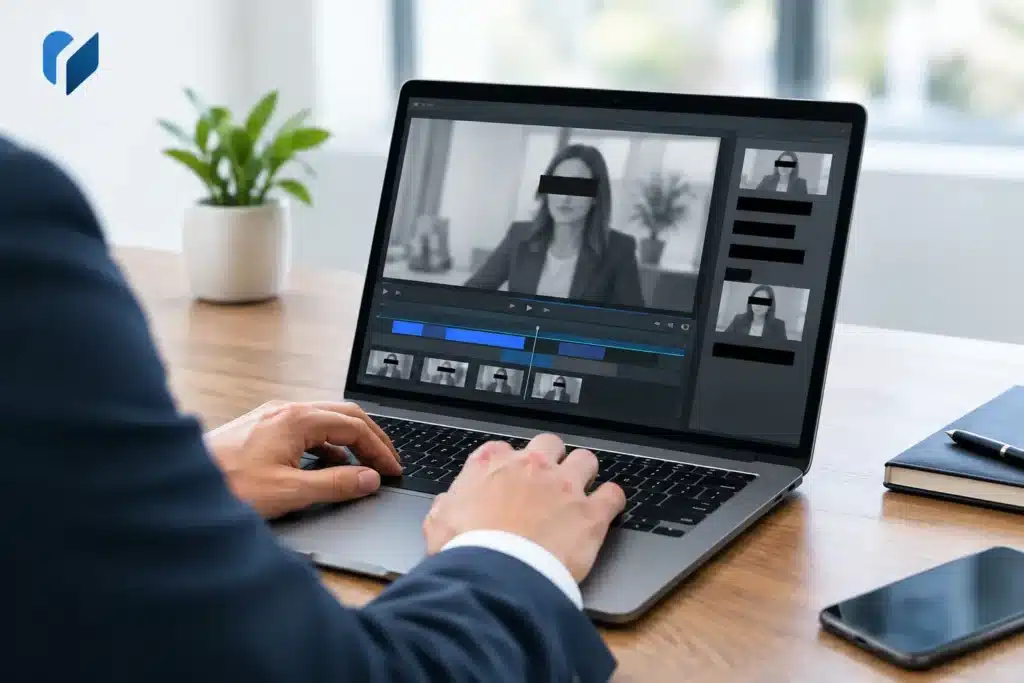
A deposition clip can become problematic long after the witness leaves the room. A screen display may reveal a medical record number, a witness may state a home address, or counsel may discuss material subject to a protective order. When that footage is needed for mediation, a court filing, or trial presentation, the question is not simply whether to remove the information. It is how to redact deposition footage without altering the record, obscuring necessary context, or creating a version that cannot be confidently used.
For legal teams, redaction is a controlled post-production process. It requires a clear source instruction, a preserved original, precise edits to both image and sound, and a review process that catches what a fast viewing can miss.
Start With the Authority to Redact
The first decision is legal, not technical. Confirm exactly what must be withheld and why. The controlling source may be a protective order, a court order, a confidentiality designation, a stipulation, a discovery agreement, or a direction from the attorney responsible for the presentation.
Do not ask an editor to make judgment calls from broad directions such as “remove private information.” Provide the specific page and line references, video timecodes when available, names or identifiers to be covered, and the intended use of the edited file. A redaction appropriate for a settlement presentation may not satisfy the requirements for a publicly filed exhibit. Likewise, material designated confidential may need a different treatment than information protected by statute or court rule.
This step also prevents over-redaction. Removing too much can interrupt testimony, undermine the force of an answer, or invite questions about whether the presentation fairly reflects the deposition. The goal is to remove only what is authorized while preserving the witness’s statement and the sequence of questioning.
Preserve the Original Before Editing
A redacted deliverable should never replace the original deposition recording. Preserve the source media in its original form, with its associated transcript, exhibit references, and production details. Work from a verified copy and keep the original accessible under the matter’s normal retention and security procedures.
That distinction matters when opposing counsel, the court, or your own trial team needs to compare the edited version with the source. It also matters when a later instruction expands or narrows the redaction scope. If the original has been overwritten or the editing process cannot be traced, a routine confidentiality task can turn into an avoidable evidentiary problem.
A reliable workflow identifies each version clearly. The original, working copy, review copy, and final redacted file should not share an ambiguous name. Include the matter identifier, witness name, deposition date, version status, and delivery date in a consistent naming convention. Maintain a simple edit log showing what was redacted, where it appears, the authority for the change, and who approved it.
How to Redact Deposition Footage Frame by Frame
Video redaction is not the same as placing a black box over a document page. In a deposition, sensitive information can appear in the witness image, a shared screen, an exhibit, a lower-third identifier, or a reflection in the background. It can also appear for only a few frames during a document transition.
The editor should locate the exact first and last frame in which the protected information is visible. A properly placed opaque mask must remain fixed over the information or track it if the image moves. Blur is usually a poor choice for sensitive information because it may be reversible, readable at high resolution, or insufficient at certain playback sizes. An opaque box or approved solid-color mask is generally the safer visual treatment.
When an exhibit is displayed on screen, consider whether the entire exhibit needs to be removed from view or whether only a specific field requires masking. Covering a narrow identifier may preserve useful context, such as the document title, date, or witness’s discussion of the record. If the exhibit itself is not intended to be shown, replacing that portion of the image with a neutral redaction screen can be cleaner than leaving a partially obscured display.
Timing is critical. Start the visual redaction before the information becomes visible and keep it in place until it has fully left the frame. This is especially important with shared-screen footage, where an attorney may scroll quickly through a document or move a cursor across an identifying field.
Redact the Audio as Carefully as the Picture
A visual mask does not protect information that the witness, attorney, or interpreter says aloud. If a name, address, medical detail, financial account number, or other protected content is spoken, the audio must be removed or replaced for the corresponding period.
The treatment should be clear to the viewer. A brief silence can work for short omissions, while a neutral tone or an on-screen notation such as “[REDACTED]” may make the edit more apparent. The right choice depends on the court’s expectations, the intended audience, and whether the interruption could create confusion about the testimony.
Avoid cutting out a spoken phrase so tightly that it changes cadence or makes the remaining words misleading. Often, it is better to include a small amount of lead-in and lead-out around the protected statement. That preserves the natural flow of the exchange while ensuring the confidential words cannot be heard.
Audio redactions require particular care with synchronized deposition video. If the final video will be played with a synchronized transcript, the transcript must reflect the same redaction. Leaving confidential text visible in the transcript defeats the purpose of muting the audio.
Coordinate Video, Transcript, and Exhibits
Deposition testimony rarely exists as a standalone video file. Attorneys may use synchronized clips, designations, transcript excerpts, and exhibit callouts together. Every component needs a consistent redaction plan.
Review the transcript for the same information removed from the recording. Substitute an approved redaction notation where appropriate, and verify that transcript timing remains aligned with the altered footage. If a section of video and audio is replaced or removed, synchronization points may need adjustment so that the text does not drift from the witness’s words.
Exhibits deserve a separate review. A document may contain hidden identifying information outside the portion initially discussed on camera. If the video captures the full exhibit, inspect the full frame at the delivered resolution, not only the portion visible in an editing preview. Also confirm that thumbnails, still-image exports, clip titles, and file metadata do not disclose protected material.
Build a Review Process That Holds Up Under Deadline Pressure
The final review should be performed by someone who knows what was ordered redacted and someone who can assess the technical result. Those may be the same person on a small matter, but the review itself should be deliberate.
First, compare the edit log against the final video. Then watch the redacted file at normal speed from beginning to end, including transitions before and after each redaction. Review every affected section frame by frame where a shared screen, document, or moving image is involved. Listen through headphones for brief audio leaks that may be missed through speakers.
It is also wise to test the actual delivery format and playback environment. A mask that appears to cover text in a small editing window may reveal an edge when played full-screen or projected in a conference room. If the file is being prepared for courtroom use, confirm that it plays correctly on the equipment and software expected at trial.
Before delivery, verify the following four items:
- The original source remains preserved and separate from the edited version.
- Every approved visual and audio redaction appears in the final exported file.
- The synchronized transcript and any related exhibits follow the same redaction instructions.
- The final file name, metadata, and delivery method do not expose confidential information.
Use a Legal Video Workflow, Not a General Editing Shortcut
Consumer editing tools make it easy to crop a frame, mute a section, or add a blur effect. They do not provide the process discipline that litigation work requires. The risk is not merely an imperfect-looking edit. It is an inadvertent disclosure, an inconsistent transcript, a missed frame, or a last-minute failure when the file must be presented.
A legal video specialist can help structure the instructions, perform precise image and audio redactions, maintain synchronization, and create a courtroom-ready review copy under a compressed deadline. For Seattle-area legal teams, Royal Video Productions applies that litigation-focused approach to deposition editing and presentation support, with attention to the details that matter when a file will be reviewed by counsel, a mediator, or the court.
The most dependable redaction is one no viewer can reverse, hear, glimpse, or question. Give the process enough time for clear instructions and a true final review, and the finished footage can do its job without putting protected information back into the case.