
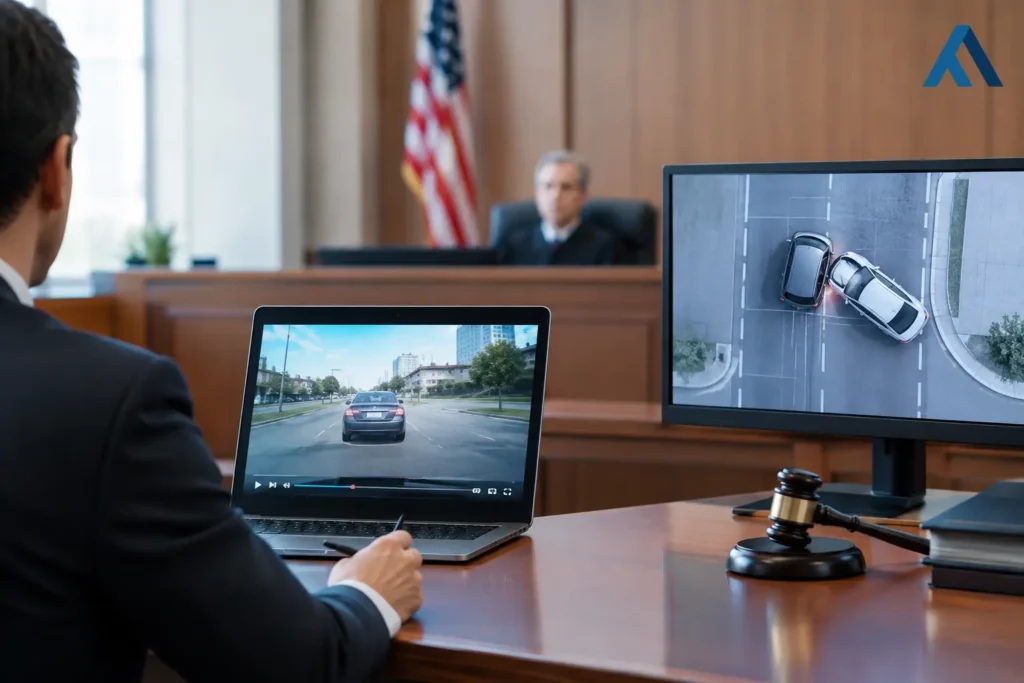
A juror cannot weigh what they cannot readily understand. That is the practical issue behind trial video versus trial graphics. Both can make a complex case clearer, but they do different jobs. The right choice depends on what the fact finder needs to see, hear, compare, or retain at the precise moment an attorney makes a point.
Video can place testimony, a person, an event, or a physical condition before the jury with unusual force. Graphics can organize details, show relationships, and direct attention to the controlling facts. Treating them as interchangeable often produces a presentation that is either emotionally powerful but unclear, or technically clear but disconnected from the human stakes of the case.
Trial Video Versus Trial Graphics: Begin With the Proof
The first question is not which format looks more polished. It is: what does this evidence need to accomplish?
If a case turns on a witness’s credibility, a recorded deposition excerpt may be far more persuasive than a transcript passage read aloud. Jurors can observe the witness’s pauses, tone, confidence, and responses to counsel’s questions. A synchronized deposition clip also allows the spoken testimony and text to work together, reducing the chance that a critical answer is missed.
If the issue is the sequence of vehicles, the layout of a worksite, a timeline of medical treatment, or the financial relationship among parties, graphics may be the better starting point. A well-designed timeline or annotated site plan gives jurors an organized framework before they encounter detailed testimony. It helps them understand where a fact belongs and why it matters.
The strongest presentations often use both. The graphic establishes orientation. The video supplies the human proof. The graphic then returns to reinforce the point the jury has just seen.
When Trial Video Carries the Argument
Trial video is particularly effective when movement, demeanor, condition, or spoken language is itself meaningful evidence. It preserves information that static exhibits cannot fully convey.
Deposition Designations and Impeachment
Video deposition designations are a natural fit when a witness is unavailable, when testimony must be presented efficiently, or when prior testimony is central to a disputed issue. A carefully prepared clip can move directly to the relevant answer without forcing the jury to sit through unnecessary examination.
For impeachment, however, precision matters more than production value. The clip should include enough context to be fair and understandable, while remaining focused on the inconsistency. Counsel should know the exact transcript page and line reference, the clip’s duration, and the playback sequence before the witness takes the stand.
Synchronized video is especially useful here. Jurors can hear the testimony while reading accurate, timed text on screen. That support improves comprehension without asking the jury to choose between watching the witness and following a paper transcript.
Day-in-the-Life and Condition Evidence
In injury matters, a day-in-the-life production can show functional limitations that are difficult to explain through medical records alone. The value is not sentiment. It is specificity. A credible production documents real routines, physical restrictions, assistance required, and the effect of an injury on ordinary activities.
This type of video requires disciplined planning. Scenes should be authentic, factually supportable, and consistent with the case theory and anticipated testimony. Overproduced material can draw objections or undermine credibility. A restrained, accurate presentation is generally more effective because it allows the facts to speak for themselves.
Events, Inspections, and Demonstrations
Video may also help explain a location, a process, or a physical condition when a still image does not provide sufficient context. Footage from an inspection can show sight lines, distances, lighting, access routes, or the relationship between objects. A demonstration can illustrate a procedure, provided the foundation and conditions are properly considered.
The limitation is that video moves at its own pace. If the jury needs time to compare several details or absorb measurements, motion can become a distraction. That is where a companion graphic may do more work than additional footage.
When Trial Graphics Make the Case Easier to Follow
Trial graphics are not decoration. At their best, they reduce cognitive load. They turn a complicated record into a visual structure the jury can use throughout the trial.
A timeline is useful when the dispute depends on notice, delay, causation, treatment progression, or a series of communications. A site plan can clarify where people and vehicles were positioned. A document callout can direct the jury to one sentence in a lengthy record. An accident reconstruction graphic can help connect expert analysis to physical evidence, measurements, and testimony.
Graphics are most persuasive when they are selective. A slide crowded with dates, arrows, labels, quotations, and colors asks the jury to work too hard. The better approach is to present one idea at a time, with readable text and a clear visual hierarchy. If an exhibit needs extensive explanation before it makes sense, it likely needs simplification.
Graphics also give counsel control over pacing. An attorney can pause at a point on a diagram, return to it during a later witness examination, or build a sequence step by step. That flexibility is valuable during opening, direct examination, cross-examination, and closing.
Choose the Format Based on Four Trial Questions
A useful decision process considers four practical questions:
- Does the jury need to evaluate demeanor, movement, sound, or real-world conditions? If so, video may be essential.
- Does the jury need to compare dates, distances, documents, relationships, or sequences? A graphic will often communicate the point faster.
- Is the evidence likely to require repeated reference throughout trial? A clear graphic is usually easier to revisit than a longer video segment.
- Will the visual be used for a limited evidentiary purpose or as a demonstrative aid? The answer affects preparation, disclosure, foundation, and courtroom handling.
These questions do not eliminate legal analysis. Rules, judicial preferences, evidentiary rulings, and stipulations will shape how any presentation is used. Legal teams should address those issues early, rather than discovering a technical or procedural problem during trial.
Build Video and Graphics as One Presentation
The most effective use of video and graphics is coordinated, not sequential by accident. Consider an accident case. Counsel may begin with a clean intersection diagram that identifies lanes, directions of travel, and points of impact. After the jury understands the geography, a brief video excerpt from a witness deposition can address what the witness observed. The attorney can then return to the diagram, now marked with the testimony that matters.
The same approach applies to medical cases. A graphic timeline can establish the course of treatment. A synchronized clip can present a treating provider’s relevant explanation. A focused medical illustration or document callout can then clarify the diagnosis or procedure discussed in the clip.
Each element should have a defined purpose. Avoid playing video simply because it is available, or adding graphics simply because the case file is complex. Every visual should answer a question the jury is likely to have.
Edit for Attention, Not Just Duration
A short video is not automatically an effective one. A clip that begins in the middle of a confusing exchange can leave jurors without the context needed to assess the answer. Conversely, a longer designation can lose attention if it repeats the same point.
Professional legal video editing balances completeness with focus. It can incorporate approved designations, clean transitions, transcript synchronization, exhibit callouts, and reliable playback formatting. The goal is to make the evidence easier to receive without changing what the evidence says.
Design for the Actual Courtroom
A graphic that looks clear on a large office monitor may be difficult to read in a courtroom. Font size, contrast, screen placement, projector quality, courtroom lighting, and the distance from the jury all matter. So do file formats, backup playback options, audio levels, and compatibility with courtroom equipment.
A trial-ready presentation should be tested before it is needed. Counsel should not have to troubleshoot missing audio, an unreadable label, or an incompatible file while the court waits. For Seattle-area legal teams, Royal Video Productions applies this production discipline to deposition playback, trial edits, synchronized transcripts, and custom litigation presentations where accuracy and timing are critical.
Avoid Common Demonstrative Problems
The most common problem is trying to make one visual prove too much. A single exhibit cannot carry an entire liability theory, explain every medical record, and serve as a closing argument slide. Break the presentation into understandable pieces.
Another problem is treating a demonstrative as an afterthought. When graphics are created late, source records may not be verified, labels may be inconsistent with testimony, and the legal team may not have time to resolve objections. Video can face similar issues when designations, objections, and transcript corrections are not addressed until the eve of trial.
Finally, do not confuse emotional force with persuasion. Video may create a strong immediate response, but jurors still need a logical path from what they saw to the verdict questions they must answer. Graphics can provide that path when they are accurate, restrained, and tied directly to the evidence.
A courtroom visual succeeds when it gives jurors confidence that they understand the record. Whether that requires a witness’s own words on video, a carefully built graphic, or both should be decided by the proof the case actually demands.