
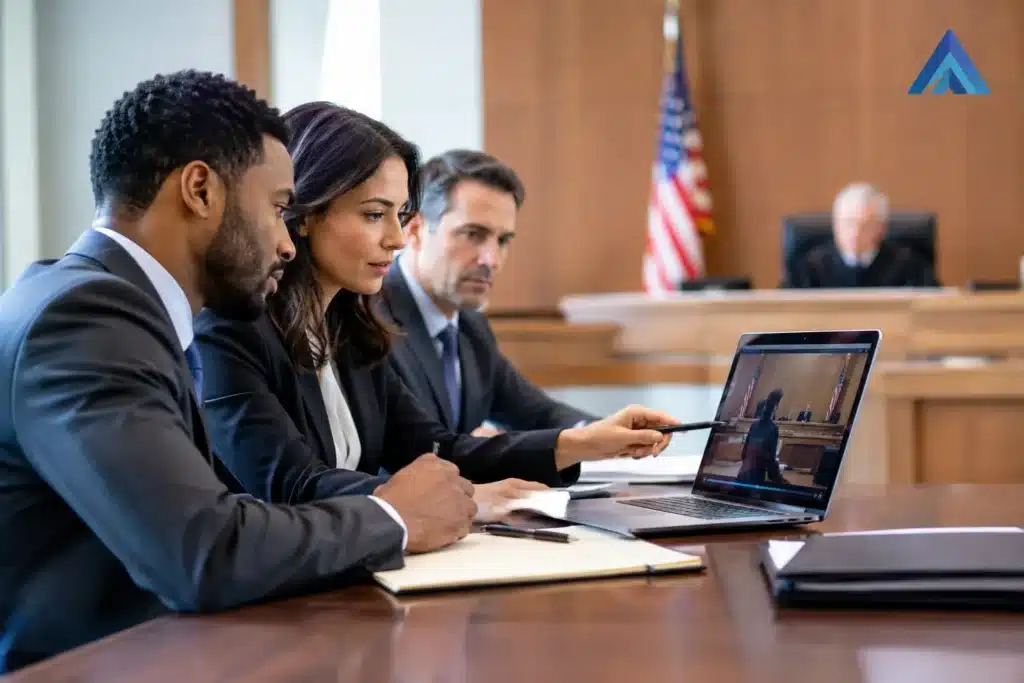
The first request to play a deposition clip can set the tone for an entire examination. If counsel, the witness, jurors, and the court are waiting while a file is located or an audio setting is corrected, even strong evidence can lose momentum. This courtroom playback preparation guide is designed for legal teams that need video, audio, and demonstrative evidence to work as expected when the record is on the line.
Courtroom playback is not simply a matter of bringing a laptop and clicking play. It is a coordinated process involving file review, courtroom procedures, display and sound systems, exhibit control, and a clear division of responsibility. The most reliable trial teams prepare for both the expected presentation and the inevitable technical variable.
Start With the Courtroom, Not the File
A video may perform flawlessly in an office conference room and fail in court because the courtroom uses different connections, monitors, audio routing, security settings, or presentation controls. Begin by learning what the assigned courtroom provides and what the court permits.
Ask whether the courtroom has a display system, where attorneys connect, whether audio plays through courtroom speakers, and whether a court technician will be present. Confirm the available inputs and whether counsel may use their own equipment. Some courts require advance coordination, while others place more responsibility on the presenting party. Local practices, judicial preferences, and courtroom staffing can all affect the plan.
A site visit is preferable when it is available. Stand where the jury will sit. Look at the display from the witness stand and counsel table. A screen that appears clear at close range may be difficult to read from the jury box, particularly when a transcript is displayed beside video or when a document contains small type.
If a site visit is not possible, obtain the practical details early enough to build a compatible setup. Do not assume a familiar connector, wireless connection, or audio output will be available on the morning of trial.
Build a Courtroom Playback Preparation Plan Around Each Exhibit
Every presentation item should have an identified purpose and an assigned status. That includes deposition clips, synchronized video transcripts, recorded statements, surveillance footage, body camera video, animations, medical imaging, photographs, and demonstrative exhibits.
Create an exhibit log that identifies the exhibit number, file name, format, running time, intended use, foundation or ruling status, and the person responsible for playback. The log does not replace the trial team’s exhibit procedures. It gives the attorney, paralegal, and presentation professional a shared operational reference when timing matters.
For video depositions, confirm the exact clip designations against the final rulings. A common and avoidable problem is preparing a clip list before objections are resolved, then bringing an outdated version to court. The playback copy should reflect the final permitted designations, objections, counter-designations, redactions, and any court-ordered limitations.
This is especially important with synchronized depositions. The video, transcript text, page-and-line references, and clip boundaries must agree. If the attorney intends to move from a played clip to a highlighted transcript page, rehearse that transition. Jurors should not be asked to follow a presentation that is visibly out of sync with counsel’s question or the court’s ruling.
Verify the File, Not Just the Label
A file name can be correct while the content is not. Open every trial-ready media file from beginning to end, including short clips. Confirm that the correct witness appears, the audio is intelligible, the clip starts and ends at the intended point, and all redactions are present.
Review the work on the same class of device and software that will be used in court whenever possible. A media player may handle a format differently than the editing platform that created it. Check for letterboxing, cropped images, missing audio channels, unwanted captions, or playback controls that obscure important visual content.
When the evidence contains low-quality audio, do not wait for trial to discover it. Determine whether the courtroom sound system is sufficient, whether approved headphones or a supplemental speaker solution may be needed, and whether captions or a certified transcript will support comprehension. Any enhancement, captioning, or edited presentation should be handled consistently with the court’s rules and the evidentiary foundation for the exhibit.
Prepare More Than One Reliable Playback Path
Redundancy is not over-preparation in litigation. It is a practical response to the fact that a cable can fail, a device can update unexpectedly, or a court display system may behave differently from prior experience.
Maintain a primary playback system that has been tested, along with a ready backup containing the same final materials. Keep the media organized in the same folder structure on both systems so an operator can switch without searching. A further copy of the final, approved files should be stored on separate reliable media, subject to the court’s security and evidence-handling requirements.
The following items are worth having because they solve distinct problems at the moment they arise:
- A tested laptop and a fully charged backup device with current, stable playback software.
- Necessary video adapters, power supplies, extension cords, and a wired mouse or presentation remote.
- Duplicate final media files on secure storage, clearly separated from drafts and working copies.
- A printed or offline cue sheet showing exhibit numbers, clip names, durations, and intended start points.
Avoid relying on internet access for trial playback. Streaming, cloud synchronization, and remote access may be useful during preparation, but they introduce variables that do not belong in a live courtroom presentation. Local, tested files are the safer choice.
Rehearse the Human Workflow
Technical readiness alone does not prevent delays. The attorney must know how to call for the exhibit, the operator must know what to cue, and the team must know what happens if the court asks to pause, replay, or proceed to a specific point.
Conduct a short courtroom-style rehearsal for each significant video item. Have one person act as examining counsel and another operate playback. Practice the verbal cues that will be used in front of the jury, including how counsel will identify the exhibit and request publication. Rehearse starts, stops, volume adjustment, pausing on a frame, replaying a segment, and transitioning back to questioning.
Keep the roles clear. The examining attorney should be focused on the witness, the court, and the jury, not on locating files. A paralegal may control exhibit sequence and rulings. A trained legal video professional may manage timing, video playback, synchronized transcripts, and troubleshooting. The right arrangement depends on the size of the case, the quantity of media, courtroom rules, and the stakes of the presentation.
For complex matters, appoint one decision-maker for last-minute changes. Multiple people giving instructions to the operator can create the very confusion the preparation process was meant to eliminate.
Protect Accuracy During Last-Minute Changes
Trial schedules create pressure, and video changes often arrive late. A newly negotiated designation, ruling on an objection, or revised demonstrative can require rapid revision. Speed matters, but version control matters more.
Use a simple finalization process: identify the change in writing, update the source material, create the revised playback file, review it, and replace the prior version in the trial folder. Preserve prior working versions outside the active playback directory so they cannot be selected by mistake. Rename files clearly enough that the operator can identify the approved version without interpreting cryptic dates or initials.
Before court begins each day, confirm that the materials scheduled for use are still the approved materials. This takes minutes and can prevent an objection, mistrial concern, or loss of credibility caused by displaying excluded content.
Plan for the Moment Something Goes Wrong
Even carefully tested systems can encounter a problem. The objective is not to promise zero technical issues. It is to respond calmly, protect the record, and restore the presentation quickly.
Decide in advance who will speak if playback fails and what alternative will be offered. Depending on the exhibit and the court’s direction, that may mean switching devices, using a duplicate file, reading from the transcript temporarily, or requesting a brief pause. The attorney should not have to invent a recovery plan while the jury watches.
A professional operator also watches for smaller issues that can affect persuasion: audio that is too low, a monitor that has gone to sleep, a cursor left over key text, or a video paused on an unflattering and irrelevant frame. Presentation discipline signals that the evidence has been handled with care.
Courtroom Playback Preparation Guide: Final Day-Before Review
The day before the expected presentation, run a focused final review. Confirm the courtroom access plan, the responsible operator, the primary and backup equipment, and the exact exhibits expected to be used. Test power, video output, audio, and file access. Verify that all devices are configured to avoid pop-up notifications, automatic updates, sleep mode, and unrelated desktop content appearing on screen.
Also review the visual experience from the jury’s perspective. Can jurors hear the witness? Can they read the transcript text? Is the display free of clutter? A technically successful playback is not necessarily an effective one if the evidence is difficult to see or hear.
The strongest courtroom presentation is often the one that feels uneventful. When exhibits appear immediately, audio is clear, and counsel can keep attention on the testimony, the jury is free to focus on the evidence rather than the mechanics behind it.