
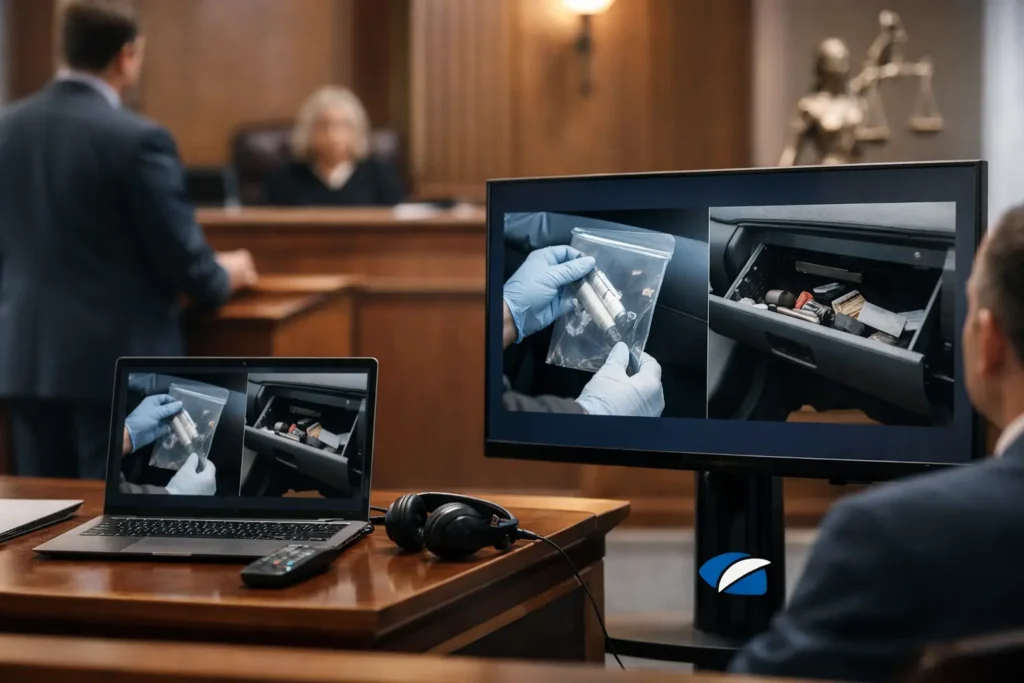
A video that will not open, audio that cannot be heard by the jury, or an exhibit shown from the wrong timestamp can interrupt a carefully prepared examination in seconds. The best practices for exhibit playback begin well before counsel stands at the lectern. They require a controlled process for preparing files, confirming admissibility requirements, testing equipment, and assigning clear responsibility for every cue.
For legal teams, playback is not merely a technical task. It is part of presenting evidence accurately, maintaining credibility, and creating a clear record. A well-prepared exhibit operator allows attorneys to focus on witnesses, objections, and argument instead of troubleshooting a screen in front of the court.
Start With the Official Exhibit File
The version played in court should be the same version reviewed, designated, and approved during trial preparation. That sounds obvious, but problems often arise when teams retain several exports with nearly identical names, such as a marked copy, a redacted copy, a compressed email copy, and a final trial version.
Establish one approved source file for each exhibit. Use a consistent naming convention that includes the exhibit number, a short description, and the version or date. For example, “Defendant_Ex_42_Surveillance_Redacted_Final.mp4” is far easier to identify under pressure than “new video final 2.mp4.”
Maintain a separate exhibit log that records the file name, format, duration, source, redaction status, intended use, and any agreed starting or ending points. This log gives the attorney, paralegal, and playback professional one shared reference point. It also helps prevent an unredacted or superseded file from reaching the courtroom presentation system.
Confirm What the Court Will Actually See and Hear
An exhibit can look correct on a laptop and still fail to communicate in a courtroom. Small text may be unreadable on a distant display. Security footage may be dark. A witness’s key statement may be obscured by weak speakers, room noise, or an unfamiliar audio routing setup.
Review every visual and audio exhibit from the audience perspective. Ask whether jurors, the judge, and counsel can all follow the relevant content without strain. If the value of the exhibit depends on a specific detail, prepare a clear method for directing attention to that detail. That may involve a short designated clip, an enlarged still image, a synchronized transcript, or an appropriate demonstrative prepared for the case.
Do not assume captions or transcripts are interchangeable with the underlying recording. A transcript can support comprehension, particularly for a lengthy deposition or difficult audio, but counsel should decide how it will be used and whether the display is consistent with applicable rules, stipulations, and court direction. The original media remains the evidence unless the court determines otherwise.
Preserve Context When Creating Clips
Short clips are effective when they make a disputed point easier to understand. They can also create avoidable objections if they remove context or do not match the designation process. When preparing excerpts, identify their exact start and end times, retain the full source media, and make sure the clip reflects the approved portion of the recording.
It is wise to prepare both the designated segment and a ready path to the surrounding material. If opposing counsel or the court requests additional context, the operator should be able to locate it quickly without searching through folders or guessing at timestamps.
Use Formats That Match the Playback Environment
A file format is not court-ready simply because it plays on one computer. Video codecs, embedded audio tracks, frame rates, subtitle formats, and presentation software can behave differently across systems. The safest approach is to test the exact files on the equipment expected to be used at the hearing, mediation, or trial.
MP4 files are commonly practical, but the right format depends on the court’s equipment and any advance instructions. A legal video professional can provide an appropriate courtroom playback copy while retaining a high-quality source version. Avoid last-minute conversions when possible. Converting media shortly before presentation can introduce audio sync errors, image degradation, or unexpected compatibility issues.
Keep the playback copy and a backup copy on separate, reliable media. If the court permits it, a secure local copy on the designated playback computer is generally more dependable than relying on a cloud transfer, email attachment, or uncertain network connection. Internet access may be limited, unavailable, or inappropriate for sensitive case materials.
Test the Entire Chain, Not Just the File
The most useful test is a full rehearsal of the actual presentation path: the playback computer, adapters, display, projector, courtroom audio system, control method, and backup equipment. A five-minute test at counsel table can reveal issues that are invisible in an office conference room.
During the test, verify all of the following:
- The correct exhibit opens promptly and plays from beginning to end.
- Audio is audible at a comfortable level throughout the room.
- Video displays at the intended size without cropping or distorted proportions.
- The operator can pause, resume, mute, and return to a specific timestamp without delay.
- Counsel can communicate discreetly with the operator while maintaining the pace of examination.
Test transitions as well. Moving from a document to a video, from a deposition clip to a synchronized transcript, or from one exhibit number to another is where disorganization becomes visible. The goal is not a flashy presentation. The goal is controlled, accurate playback that does not distract from the evidence.
Plan for the Courtroom You Have
Some courtrooms provide integrated presentation technology. Others may have limited displays, restricted connection options, or specific rules about who may operate equipment. Remote and hybrid proceedings create a different set of concerns, including screen-sharing permissions, participant audio, recording settings, and the risk of displaying confidential material to the wrong audience.
Confirm the venue’s procedures early. Find out whether equipment must be reserved, whether a technician is available, how exhibits must be delivered, and whether the judge has preferences for video playback or electronic displays. If a trial date changes courtrooms, repeat the key equipment checks rather than assuming the setup will be identical.
Assign One Person to Control Playback
An attorney should not have to manage a media player while examining a witness. Nor should a witness be asked to navigate the exhibit. Assign one trained operator who understands the exhibit list, the intended sequence, and the limits of that role.
The operator should receive a cue sheet that identifies each exhibit, the purpose of playback, the precise start and stop time, whether audio should be enabled, and any anticipated follow-up. For deposition designations, the cue sheet should also identify page and line references where relevant. This preparation supports quick response if the court asks to replay a portion or counsel needs to move to an alternate clip.
Clear communication matters as much as technical skill. Agree on simple verbal cues before proceedings begin, and identify how counsel will signal a pause or a return to a prior segment. The operator should never make substantive choices about what to show. When there is uncertainty, playback stops until counsel provides direction.
Protect the Record and Handle Sensitive Material Carefully
Exhibit playback must respect protective orders, redactions, sealing requirements, and court rulings. Before the proceeding, compare the playback version against the approved exhibit list and verify that all required redactions are permanent in the file being presented. Covering a portion of a screen during playback is not a substitute for a properly prepared redacted version.
Have a process for preventing inadvertent disclosure. Disable notifications on the playback computer, close unrelated applications, and avoid displaying desktop folders, emails, or case notes on courtroom screens. Use only the materials necessary for the presentation. If an exhibit contains confidential information, understand in advance whether the courtroom must be cleared, the record limited, or the display restricted.
A synchronized legal video can be especially useful when testimony must be located precisely and presented with a corresponding transcript. But synchronization should be checked before trial. A transcript that drifts even slightly from the speaker can create confusion and invite challenges at the moment clarity matters most.
Build a Backup Plan That Is Actually Usable
A backup is valuable only if it can be deployed quickly. Keep duplicate playback media, necessary adapters, power supplies, and a second path to access the approved exhibit files. Where practical, have a printed cue sheet and a record of key timestamps available even if the electronic system is working.
The right level of redundancy depends on the importance of the evidence, the length of the proceeding, and the venue’s technical resources. A single short clip in a well-equipped courtroom may need a different plan than a multi-day trial built around deposition video, accident reconstruction, surveillance footage, and medical imaging.
Preparation gives the court confidence that the presentation will proceed efficiently. When each exhibit has been reviewed, tested, organized, and assigned to a capable operator, playback becomes what it should be: a quiet, reliable support for the evidence and the story the record allows counsel to tell.