
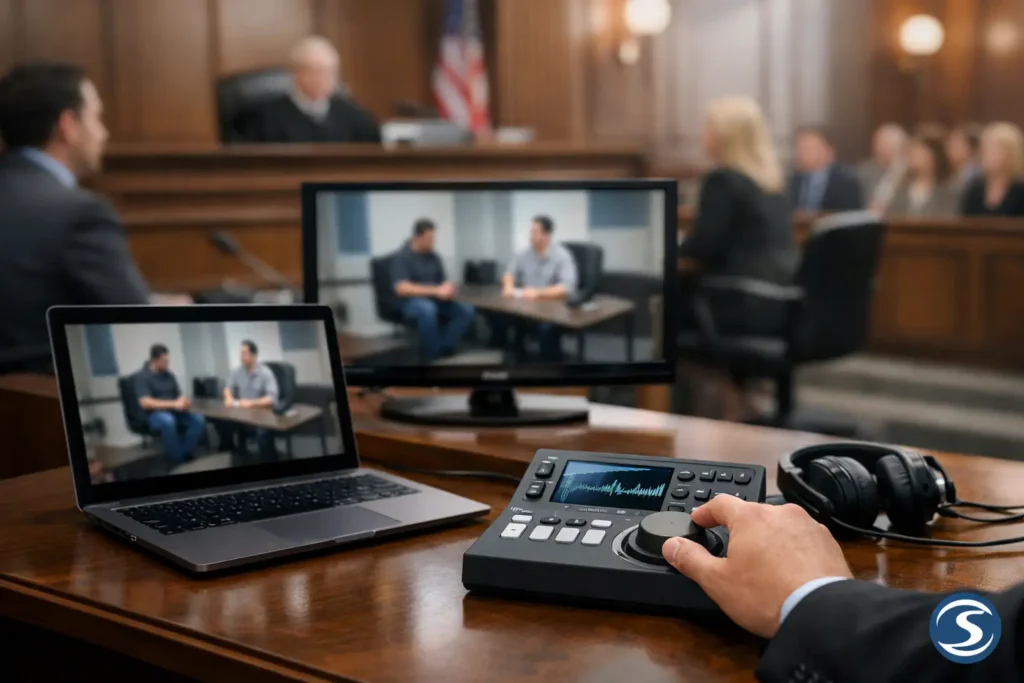
A video that will not start is not a minor technical issue when the jury is waiting. Knowing how to use courtroom playback means treating each clip, deposition designation, transcript, and display as part of the trial presentation – not as an attachment someone can open at the last minute.
For attorneys and legal teams, effective playback is about control. The correct evidence must appear at the correct time, with clear audio, accurate transcript synchronization when needed, and a presentation setup that does not distract from the testimony. Preparation also has to account for the courtroom itself, where available equipment, local procedures, and judicial preferences can vary.
Start With the Courtroom, Not the Video File
Before deciding how footage will be played, confirm what the courtroom provides and what your team must supply. Do not assume that a screen, projector, speakers, internet connection, or counsel-table monitor will be available simply because another courtroom had them. A facility may have equipment, but access, inputs, placement, and the person authorized to operate it can be different from what you expect.
Contact the court well before trial to understand its audiovisual procedures. Ask whether counsel may connect a laptop, whether the court requires a technician or prior equipment testing, what display will be visible to the jury, and how audio is routed. Confirm whether there are restrictions on bringing in screens, speakers, carts, or other equipment. If the case will involve extensive video, arrange an in-person walkthrough whenever possible.
This early step affects every other decision. A short video deposition clip may play effectively from a properly prepared laptop and court display. A trial involving multiple synchronized depositions, medical imaging, accident reconstruction, or numerous demonstratives may require a dedicated playback operator and a more complete presentation system.
Prepare Courtroom Playback Files for Reliability
A file that plays on an office computer is not automatically ready for trial. Playback can fail because of a missing codec, an unexpected software update, audio routing problems, a weak adapter connection, or a file that was exported in a format the court system does not recognize.
Use a consistent, courtroom-tested video format and verify every file on the exact equipment intended for presentation. Test the image at full-screen size and listen to the audio through the speakers that will be used in court. Quiet testimony, medical terminology, and accented speech are especially vulnerable to poor audio levels. The sound should be intelligible from the jury box, not merely audible at counsel table.
File names should be direct and unmistakable. A naming convention such as “Pltf_Deposition_Smith_Clip_03_00-14-22” is far safer than a folder filled with files titled “final,” “final2,” and “use this one.” Organize clips in the order they are expected to be introduced, while retaining a separate master folder with the approved source material.
Avoid relying on streaming video, cloud-only storage, or a wireless connection for critical evidence. Courtroom networks may be unavailable, restricted, or unreliable. Keep all presentation assets locally available on the primary playback computer.
Build a true backup plan
A backup is only useful if it can be used immediately. Maintain a duplicate copy of all trial media on a separate drive and, when the matter warrants it, on a second prepared computer. Bring necessary power supplies, video adapters, cables, and audio connections in duplicate. A single missing USB-C adapter can stop a presentation as effectively as a corrupted video file.
The backup should mirror the primary system’s organization. If the trial team needs Clip 12, the backup operator should be able to find Clip 12 without translating a different folder structure under pressure.
Use Synchronized Video When the Transcript Matters
Video deposition testimony often carries more impact when the jury can read and hear the witness at the same time. Synchronized video links the deposition video to the certified transcript, allowing designated testimony to be located and played with precision.
This is particularly valuable when a designation begins or ends mid-page, when testimony contains technical language, or when the witness speaks softly. The transcript provides visual reinforcement without replacing the video itself. It can help jurors follow the testimony, and it helps counsel move quickly to the next approved section.
Accuracy is essential. The synchronization must match the final certified transcript, and the video designations must match the parties’ and court’s rulings. A mismatch between the displayed text and spoken testimony can create an avoidable interruption or objection. Confirm page and line references, edit points, objections, counter-designations, and any required redactions before the final trial package is produced.
For lengthy depositions, do not wait until the evening before playback to resolve designations. The more time available for review, the more carefully the final video can be conformed to the rulings and the intended trial sequence.
Plan the Operator’s Role Before Trial Begins
Courtroom playback is often most effective when one person is responsible for operating the presentation system. That person should understand the run of show, know which exhibits are admitted or awaiting admission, and communicate clearly with the examining attorney.
The operator does not need to make legal decisions. Their job is to execute approved instructions quickly and accurately. Before trial, establish simple cues for play, pause, resume, advance, and display changes. Decide whether the attorney will call out a clip number, exhibit number, witness name, or timestamp. Consistency matters more than the specific method.
A professional legal video operator can also help preserve the pace of examination. Instead of an attorney searching through folders or asking a paralegal to locate a file, counsel can remain focused on the witness, the judge, and the jury. That division of responsibility is especially useful during cross-examination, where timing can affect the force of a video excerpt.
Rehearse the Sequence, Not Just the Technology
A complete test means more than pressing play on one file. Rehearse the actual sequence likely to occur in court: introduce the exhibit, confirm permission to publish if required, display the exhibit, play the designated portion, pause at a key point, and transition to the next item.
During the rehearsal, look for practical issues. Is the screen visible from every juror’s position? Does the image crop when sent to the courtroom display? Is there a delay when switching from a document to video? Can the attorney hear the clip well enough to question from it? Can the operator quickly freeze on a frame if the court asks for a replay?
For video depositions, test every designation in order. For day-in-the-life productions, accident reconstruction, and edited demonstrative video, confirm that the version to be shown is the final approved version and contains no placeholder graphics, omitted redactions, or superseded edits.
A Trial-Day Courtroom Playback Checklist
Before the jury enters, confirm these essentials:
- The primary computer, display connection, audio, and presentation software are operating.
- Every admitted video and exhibit is available locally and appears in the correct order.
- The backup drive, backup computer, cables, adapters, and power supplies are within reach.
- The jury display and attorney monitor show the intended content without exposing notes, file folders, or unadmitted material.
- The attorney and playback operator agree on the cueing process and the first items expected that day.
This check should happen before court is called to order, not while a witness is waiting. If anything changes in the courtroom, retest the complete signal path from the playback device to the jury-facing screen and speakers.
Keep the Presentation Focused on the Evidence
The best courtroom playback is almost invisible. Jurors should remember the witness’s words, the sequence shown in an accident reconstruction, or the human impact illustrated in a day-in-the-life video. They should not remember a spinning cursor, a missed cue, or counsel apologizing for an audio problem.
That requires restraint as well as preparation. Use video where it clarifies disputed facts, demonstrates timing or movement, preserves testimony, or gives the jury a clearer understanding of the evidence. Do not add animation, edits, captions, or visual emphasis that exceeds what the court has permitted. The appropriate approach depends on the case, the evidentiary ruling, and the judge’s preferences.
For Seattle-area legal teams facing a demanding trial schedule, Royal Video Productions approaches courtroom playback as a litigation-support process. The work begins with properly prepared media and ends only when the presentation is ready to perform under courtroom conditions.
A well-prepared playback plan gives counsel something valuable at trial: the ability to put the evidence in front of the jury exactly when it matters, then return attention to the case.