
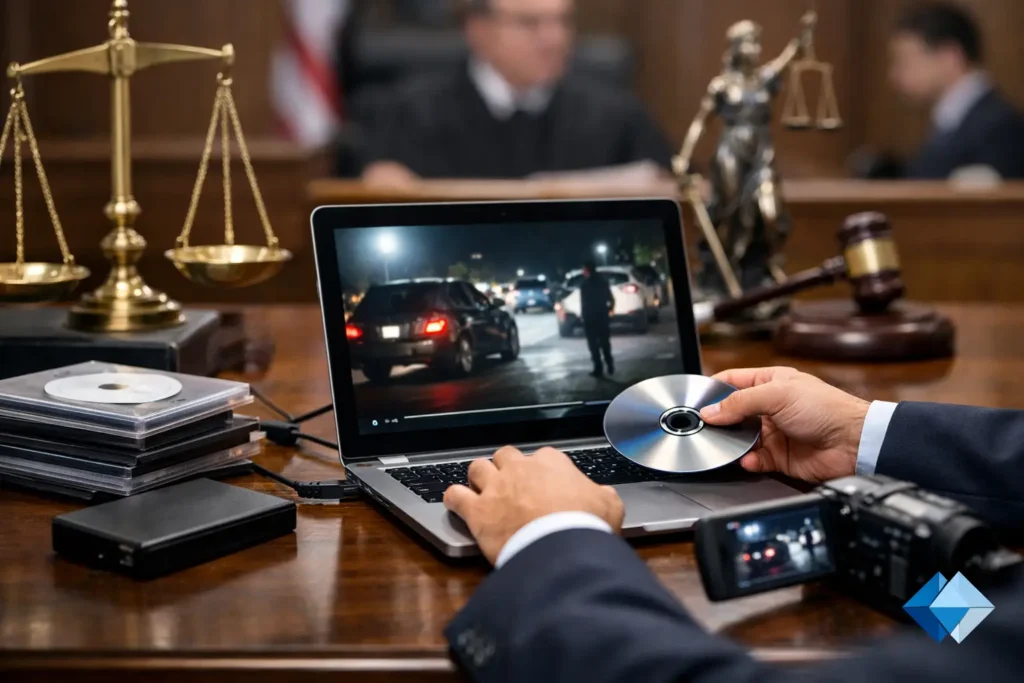
A video exhibit that looks fine in the office can fail fast in a courtroom. The audio may be too low, the file may not play on the court’s equipment, or an edit that seemed harmless may raise avoidable objections. That is why knowing how to prepare video exhibits is less about exporting a file and more about building something accurate, usable, and defensible.
For legal teams, the standard is higher than ordinary video production. A trial technician can often solve playback issues in the moment, but that is not a strategy. A well-prepared exhibit should hold up under scrutiny, fit the court’s procedural requirements, and communicate clearly to a judge, jury, mediator, or opposing counsel without distracting technical problems.
How to prepare video exhibits starts with purpose
Before any editing begins, define exactly what the exhibit is supposed to do. Some video exhibits are evidentiary and tied directly to testimony, surveillance, body-worn camera footage, or recorded statements. Others are demonstrative, such as timelines, site views, medical illustrations, or accident reconstruction sequences. That distinction matters because the preparation process, review standard, and likely objections can differ.
A deposition clip package, for example, needs precise designations, clean in and out points, and reliable synchronization with the transcript if it will be presented that way. A day-in-the-life production requires a different level of planning, including careful attention to authenticity, fairness, and whether the final presentation accurately reflects the subject’s daily limitations. If the purpose is not clear at the outset, teams often end up revising the same exhibit repeatedly under deadline pressure.
The most efficient approach is to identify the audience, forum, and intended use first. Ask whether the exhibit is for mediation, motion practice, trial, arbitration, or internal case evaluation. A file prepared for a settlement conference may not need the same formatting, certification, or playback packaging as one intended for a courtroom record.
Gather the source material before you edit
Video exhibit problems usually start upstream. Legal teams may have multiple source files from phones, dashcams, security systems, Zoom recordings, or prior production vendors. Each source can have different frame rates, codecs, time stamps, and audio quality. If those issues are not identified early, they tend to surface at the worst time.
Start with the best available original files, not copies passed around by email or exported from messaging apps. Preserve the original file names and maintain a clear record of where each file came from. If chain of custody matters, document receipt, storage, and handling from the beginning. Even for demonstrative use, disciplined file management prevents confusion when the same footage appears in several versions.
This is also the stage to confirm that you have the full record. Missing deposition segments, incomplete surveillance windows, or low-resolution downloads can create gaps that are expensive to fix later. If the exhibit will rely on synchronized testimony, make sure the final certified transcript is available before the edit is locked. Working from a rough draft may save a day now and cost several days later.
Accuracy matters more than polish
Legal video should be clear and professional, but clarity is not the same as overproduction. Graphics, transitions, music, or dramatic effects can undercut credibility and invite unnecessary challenge. In most litigation settings, the strongest exhibit is one that presents the material cleanly and faithfully.
That applies especially to clipping and sequencing. Every excerpt should be checked against the source to confirm that it starts and ends exactly where intended, that no words are clipped, and that context has not been altered in a way that creates a misleading impression. If the exhibit includes text callouts, labels, or date and time references, verify each one against the record.
Audio deserves the same discipline. Volume normalization can improve intelligibility, but aggressive enhancement can distort a speaker’s voice or create questions about manipulation. Sometimes the better choice is to leave imperfect audio as is and support comprehension with approved transcript synchronization or captions, depending on the use and applicable rules.
Build for admissibility and playback reliability
When attorneys ask how to prepare video exhibits, they are usually balancing two concerns at once: legal admissibility and practical playback. Both matter. A technically flawless file is not useful if the foundation is weak, and a well-founded exhibit can still derail a presentation if it freezes in court.
Begin by confirming the governing court rules, standing orders, and any pretrial requirements that affect exhibit format, timing, exchange, or labeling. Some courts want exhibits premarked in a specific way. Others may have local expectations about file types, media delivery, or whether clips must be exchanged before use. There is no universal standard that fits every courtroom.
On the technical side, keep delivery formats conservative and proven. The most sophisticated codec is not always the smartest choice if the court’s playback system is older or inconsistent. Test the file on the actual equipment whenever possible, or at minimum on a setup that mirrors likely courtroom conditions. Check image scaling, audio output, embedded captions, and whether playback controls are easy to use under pressure.
Redundancy is part of professionalism. Maintain a primary playback file, a backup copy, and, when appropriate, an alternate export format. Save them in clearly labeled folders so no one is guessing which version is final minutes before a hearing.
Use transcript synchronization carefully
Transcript-synced video can be extremely effective, especially for deposition designations, impeachment, and trial presentation. It gives the fact finder a cleaner way to follow testimony and helps counsel move efficiently during examination. But synchronization has to be exact.
The transcript used for sync should be final and certified. Speaker IDs, objections, colloquy, and off-the-record sections need to be handled consistently. If the exhibit includes multiple designations, organize them so they can be called up quickly and played without dead space. Small delays between text and speech may seem minor during editing, but in a courtroom they are distracting and can undermine confidence in the presentation.
This is one area where specialized legal-video experience pays off. General video editing skill is not the same as understanding designation workflow, objection handling, transcript integrity, and courtroom expectations. For firms preparing trial materials on a short schedule, that distinction often determines whether the process feels controlled or chaotic.
Review with both legal and technical eyes
Every final video exhibit should go through two separate reviews. The legal review confirms substance: accuracy, relevance, completeness, objections, and whether the exhibit reflects the intended evidentiary use. The technical review confirms function: audio levels, sync, labels, file naming, media integrity, and playback compatibility.
These reviews should not happen at the last minute. Build enough time for revisions, because there is almost always at least one. A date may need correction, a clip may need to be shortened based on a ruling, or a transcript page reference may need updating after a final designation exchange.
It also helps to have someone review the exhibit who was not involved in the edit. Fresh eyes catch small but important issues, such as a typo in an on-screen title or a clip that opens one second too early. In legal presentation work, those details matter because opposing counsel will notice them too.
How to prepare video exhibits under deadline pressure
Litigation deadlines rarely move to accommodate production challenges. When trial is approaching, the safest workflow is one that reduces avoidable decisions. Standardize file naming, keep version control strict, and assign one person to manage final approvals. If multiple team members are saving “final” files in different locations, mistakes become almost inevitable.
This is also the point where outsourcing to a legal-video specialist can save more than time. It can reduce risk. Firms that work regularly with courtroom video know that the issue is not simply editing footage. It is coordinating record accuracy, formatting, synchronization, and delivery in a way that supports the attorney’s strategy instead of competing with it. In the Seattle legal market, that kind of support is often most valuable when the schedule is tight and the margin for error is small.
A strong exhibit should disappear into the presentation
The best video exhibits do not call attention to the production process. They let the testimony, facts, or visual evidence do the work. If the judge or jury is thinking about glitchy audio, awkward edits, or whether the file will open, the exhibit is fighting the case instead of supporting it.
Prepare your video exhibits with the same discipline you bring to witness outlines and trial binders. When the technical side is handled correctly, the presentation becomes simpler, cleaner, and more credible – which is exactly where legal teams want to be when the record matters most.