
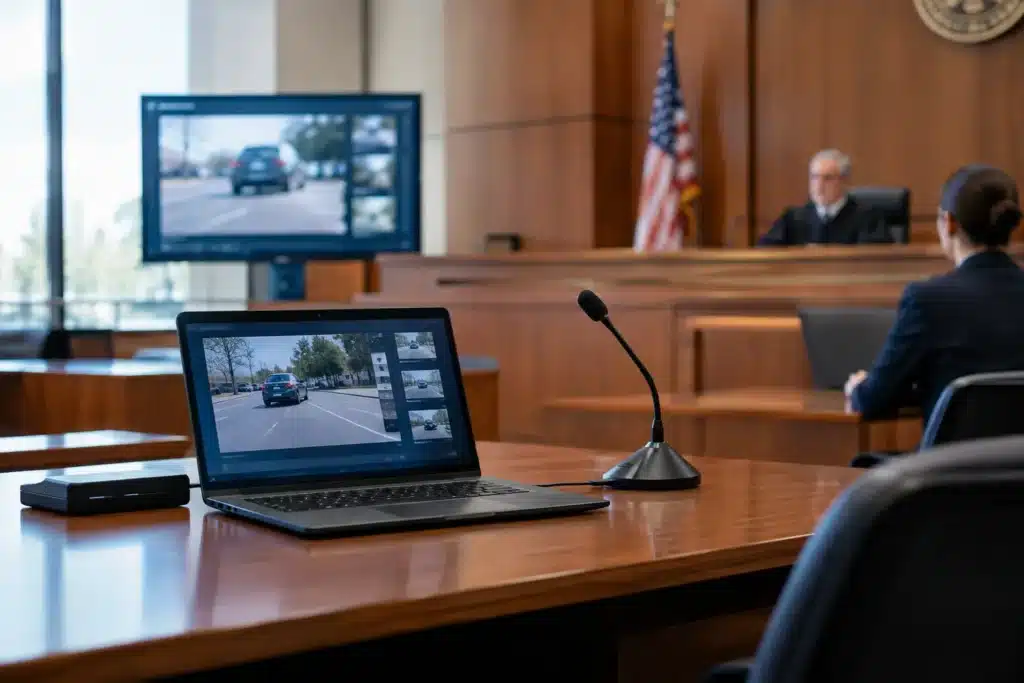
A trial team can spend months developing a clear liability theory, only to lose momentum when a critical deposition clip will not play, a demonstrative cannot be seen from the jury box, or remote testimony breaks down mid-examination. Courtroom technology is not merely a presentation enhancement. When it is properly prepared and professionally operated, it helps the court and jury receive evidence in the order, format, and context counsel intended.
For attorneys, paralegals, and litigation support teams, the practical question is not whether technology belongs in the courtroom. It does. The question is whether each component has been selected, tested, and managed with the same care given to witness preparation and exhibit review.
Courtroom Technology Is a Trial-Preparation Issue
Technology decisions should begin well before the first day of trial. A courtroom presentation often combines deposition designations, synchronized transcripts, trial exhibits, photographs, medical records, animations, accident reconstruction materials, and live or remote witness testimony. Each item may be useful on its own. The challenge is making those pieces work together under courtroom conditions.
A polished video clip is only effective if it begins at the correct designation, displays at a readable scale, and is ready when counsel needs it. A synchronized transcript is valuable when jurors can follow testimony on screen, but it must match the final video and approved text precisely. A demonstrative can clarify a complicated sequence of events, but it should support the evidence rather than distract from it.
That is why technology planning belongs in the trial-preparation calendar, not on the eve of opening statements. Early coordination gives the legal team time to confirm courtroom capabilities, identify necessary equipment, finalize file formats, and rehearse the sequence of evidence. It also creates room to resolve problems before they become visible to a judge or jury.
The Technology That Carries the Most Weight
The right setup depends on the case, the venue, the judge’s procedures, and the presentation preferences of trial counsel. Still, several tools repeatedly prove their value in litigation.
Video deposition playback and synchronized transcripts
Video testimony gives the fact finder more than words on a page. It preserves cadence, pauses, demeanor, and the witness’s response to questioning. This can be particularly meaningful when the testimony concerns causation, notice, damages, or a key admission.
Synchronized video and transcript playback adds another layer of clarity. The transcript can appear alongside or beneath the video, helping jurors follow technical language, names, dates, and disputed terminology. It also allows counsel to move accurately to designated testimony without searching through a recording in real time.
The trade-off is that synchronization and editing require careful quality control. A mismatched word, an incorrect clip boundary, or an outdated transcript can create unnecessary confusion. Final review should include the litigation team and a legal video professional who understands designation-based playback.
Courtroom display systems
Displays may include monitors for the judge, witness, counsel, jury, or gallery, depending on the courtroom and available infrastructure. Their purpose is straightforward: make sure evidence can be seen without forcing jurors to strain, turn away from the witness, or rely on a small printed exhibit.
Size and placement matter. A detailed engineering drawing may look acceptable on a laptop but become unreadable on a courtroom monitor. Medical imaging, construction plans, phone records, and timelines often need formatting adjustments before trial. The best presentation is not the most visually busy one. It is the one that lets a viewer understand the relevant point quickly.
Remote and hybrid witness testimony
Remote testimony can reduce travel burdens and help coordinate witnesses in different locations. It can also introduce risks that should not be left to chance: unstable internet connections, poor lighting, weak audio, improperly positioned cameras, and uncertainty about how exhibits will be shown to the witness.
A professionally supported remote or hybrid setup addresses these details before testimony begins. The witness should be able to hear questions clearly, appear naturally on screen, and review exhibits in a controlled process. Counsel should also know who is monitoring the connection, what backup options are available, and how the proceeding will be recorded if required.
Remote testimony is not always the best choice. For a central fact witness or a witness whose credibility will be heavily contested, in-person testimony may better serve the trial strategy. The decision should be based on the role of the witness, the court’s procedures, and the realities of the case.
Demonstrative evidence and reconstruction support
Some cases cannot be explained effectively through documents and testimony alone. Accident reconstruction support, timelines, medical illustrations, maps, and day-in-the-life video may help a jury understand how an event occurred or how an injury affects daily function.
The value of these materials comes from disciplined production. A day-in-the-life video, for example, should be accurate, respectful, and focused on genuine daily limitations rather than emotional excess. An accident reconstruction presentation should clearly distinguish between documented evidence, expert assumptions, and demonstrative interpretation. Credibility is strengthened when visual evidence is carefully sourced and plainly presented.
What Can Go Wrong When Technology Is Treated as an Afterthought
The most damaging courtroom technology failures are usually preventable. They happen when files are delivered in unfamiliar formats, equipment is assumed to be available, footage is not reviewed after final edits, or no one has clear responsibility for playback during trial.
A last-minute solution may work for a simple exhibit. It is much less reliable when counsel needs to transition from a witness examination to a video designation, call up an enlarged document, compare photographs, and respond to an objection without losing the jury’s attention.
There is also a strategic cost. Delays can make an otherwise organized case appear unprepared. Repeated technical interruptions break the rhythm of direct or cross-examination. And when an attorney must manage cables, screens, or playback controls, attention is pulled away from the witness and the fact finder.
Professional courtroom support is not about adding unnecessary complexity. It is about assigning technical execution to someone who understands litigation workflows, so counsel can focus on advocacy.
A Better Process for Trial Teams
Effective courtroom presentation starts with a clear inventory of the evidence likely to be used at trial. The team should identify video depositions, transcript designations, key exhibits, demonstratives, remote appearances, and any materials requiring special display or playback. From there, the presentation plan can be built around the actual courtroom and the order in which evidence is expected to appear.
A site check or early discussion with court personnel can clarify what is already available and what must be provided. Trial teams should confirm monitor placement, projection options, audio connections, internet access, power availability, and any courtroom-specific restrictions. Assumptions are expensive when a deadline is measured in hours.
Next comes file preparation. Every video should be reviewed in its final form. Every transcript should be confirmed against the corresponding footage. Exhibits should be formatted for legibility, not simply exported from a case-management system. Backup copies should be organized and accessible, but backup materials are not a substitute for a tested primary setup.
Finally, rehearse the moments that matter most. Practice playing a designated clip, switching from video to a document, enlarging the relevant section of an exhibit, and handling a remote witness. A short run-through often reveals issues with timing, visibility, audio, or file organization that would otherwise surface in front of the jury.
Why Specialized Legal Video Support Matters
General audiovisual experience is useful, but litigation has distinct demands. Legal video work involves transcript accuracy, deposition designations, confidential materials, time-sensitive revisions, courtroom etiquette, and an understanding that a deliverable may be scrutinized by opposing counsel, the court, and the record.
At Royal Video Productions, courtroom-ready work is approached with that standard in mind. Legal teams need responsive support, accurate deliverables, and professionals who can adapt when a deposition designation changes or a court schedule moves. Those needs are especially familiar in complex matters where trial preparation continues right up to the deadline.
The best courtroom technology is almost invisible to the jury. It does not call attention to itself or compete with the evidence. It gives counsel a dependable way to present the case clearly, keep proceedings moving, and make sure the record is seen and heard as intended.