
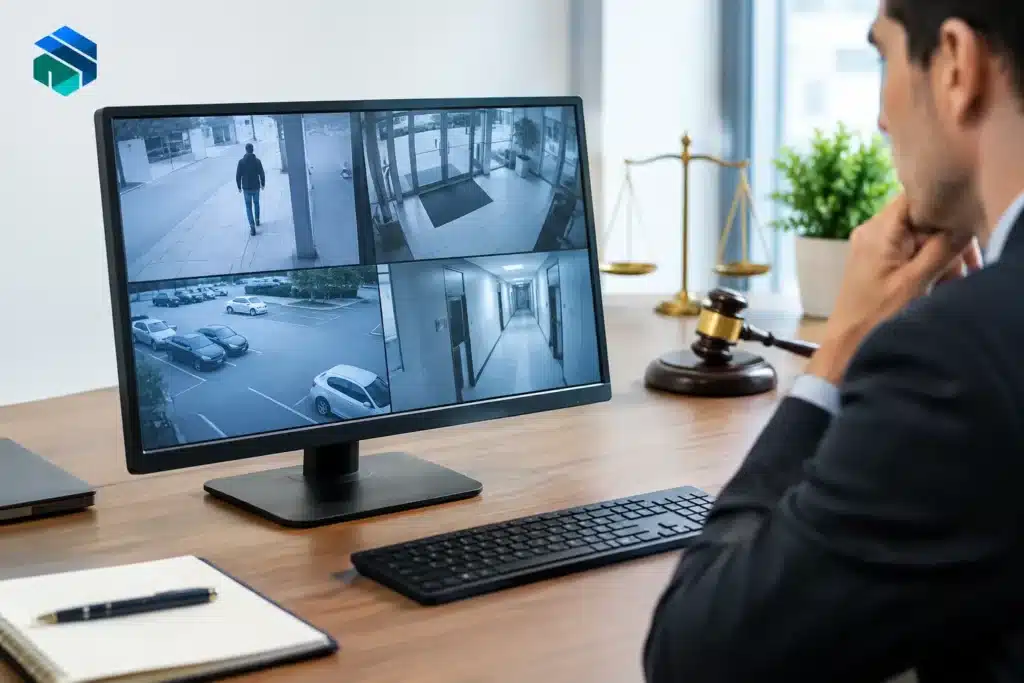
A surveillance clip can look decisive until opposing counsel asks the question that matters: How do we know this is what it purports to be? Knowing how to authenticate surveillance video is not simply a matter of bringing a file to court. The proponent must establish a reliable foundation showing where the recording came from, how it was created, and whether it fairly depicts the events at issue.
For litigators, that work should begin as soon as video is identified. A camera recording may be overwritten within days, exported through proprietary software, copied by several people, or paired with an inaccurate timestamp. Each fact can affect the strength of the evidentiary foundation and the credibility of the presentation at deposition, mediation, or trial.
Authentication Is About Foundation, Not Perfection
Under Federal Rule of Evidence 901 and comparable state evidence rules, the party offering an exhibit must produce evidence sufficient to support a finding that the item is what that party claims it is. The standard is not that surveillance footage must be flawless. It is that the court has a reasonable basis to conclude the exhibit is authentic.
That distinction matters. A camera clock that is a few minutes off does not automatically make a recording inadmissible. Nor does a missing audio track necessarily defeat authentication. The party offering the video should be prepared to explain the system, identify the source, and address any limitations candidly.
Surveillance video is often authenticated through one of two paths. A witness with personal knowledge may testify that the footage fairly and accurately depicts a location, person, or event. This is often called the pictorial testimony approach. Alternatively, where no witness observed the event, the proponent may establish that the recording system was reliable and functioning properly, sometimes described as the silent witness approach.
The appropriate approach depends on the facts. A store employee who recognizes the entrance and can explain the camera placement may provide useful testimony, even if that employee did not see the incident occur. In another matter, testimony from a security manager or system custodian may be more important because the footage itself is the primary evidence.
Preserve the Original Recording First
The strongest authentication work is usually done before litigation presentation begins. Request preservation promptly and identify the specific camera, date, time range, and location involved. Many systems record on a rolling basis and automatically overwrite older footage. A vague request for “all video” may invite an incomplete response or leave uncertainty about what was collected.
Whenever possible, obtain the recording in its original exported form from the recording system. This may include a native video file, associated player software, an export log, or a certificate generated by the system. A phone-recorded playback of a monitor can sometimes be useful for investigation, but it is generally a weaker substitute for an original system export.
Document who retrieved the footage and when. Record the name of the business or agency, the device or camera identifier, the date and time of export, the media used for transfer, and any instructions provided by the system operator. If the source produced a clip rather than the full available time range, ask how the clip was selected and whether additional footage exists.
Do not casually overwrite the original export while creating a trial clip. Maintain a preserved source copy and work from a duplicate. If a segment is shortened, enlarged, slowed, captioned, or annotated for demonstrative use, retain the unedited version and be able to describe every change. Edited video can be highly effective, but it should never obscure what was altered for presentation.
Build a Chain of Custody That Can Be Explained
A chain of custody is not a ceremonial form. It is a practical record that helps show the exhibit remained identifiable and was not materially altered after collection. The more people who handle a file without documentation, the more openings there are for questions about substitution, editing, or accidental corruption.
For a surveillance exhibit, the chain should identify the source, collector, transfer method, storage location, and every person who received or copied the media. Keep associated emails, transmittal letters, download confirmations, and evidence logs. If the video is delivered on a flash drive, preserve the original drive where practical and create a documented working copy.
Digital hash values can provide additional support. A hash is a unique digital fingerprint calculated from a file. If the hash of a preserved file matches the hash of the file later reviewed or played in court, that is strong technical evidence that the file did not change. Hashing is especially useful where recordings pass through counsel, experts, investigators, and litigation support teams.
Still, a hash does not replace witness testimony or source records. It confirms file consistency, not necessarily that the original camera was functioning accurately or that the file depicts the asserted date and location. Authentication is strongest when technical documentation and human testimony support each other.
Identify the Right Foundation Witness
The best witness is not always the person who hands over the footage. Consider what the court needs established and select a witness who can testify from knowledge rather than assumption.
A security manager, property manager, loss prevention employee, IT administrator, or records custodian may be able to explain where cameras were located, how they recorded, who had access, how long footage was retained, and how the export was made. That witness may also authenticate business records associated with the system, depending on the jurisdiction and circumstances.
A fact witness can help establish what the video shows. Someone familiar with the site may identify the building, parking lot, doorway, vehicle, or camera viewpoint. A witness who saw the underlying event may testify that the recording fairly depicts it. When the recording lacks a reliable timestamp, testimony placing the events in sequence can become particularly valuable.
Prepare the witness for direct, factual questions. The goal is not to turn a custodian into a video engineer. It is to establish the witness’s role, familiarity with the system, retrieval process, and basis for recognizing the exhibit. Overstating technical knowledge can create avoidable cross-examination issues.
Address Timestamps, Gaps, and Other Weak Points Directly
Surveillance footage often contains features that deserve explanation. Timestamps may be offset after daylight saving time changes, cameras may record at different frame rates, and motion-activated systems can create gaps. Some systems display time based on a local device clock rather than a centrally managed server.
Investigate those issues early. Determine whether the system clock was checked, whether other cameras can corroborate the timeline, and whether transaction records, dispatch logs, access-control records, or witness accounts can anchor the events in time. A discrepancy may be manageable when supported by independent evidence. It becomes more problematic when counsel first discovers it during testimony.
The same approach applies to missing segments. Do not assume an absence of footage proves intentional deletion. Cameras may have been blocked, inactive, overwritten, pointed elsewhere, or configured to record only on motion. Obtain an explanation from the system custodian, preserve any available retention settings or logs, and avoid making claims the evidence cannot support.
Prepare the Video for Courtroom Playback
Authentication can be undermined by a poor presentation. A video that will not play, has no audible sound, is shown at the wrong speed, or differs from the version disclosed to opposing counsel creates unnecessary risk. Test the exact file and playback method before the hearing.
Native surveillance exports may require a proprietary player. That can be appropriate for preserving original evidence, but courtrooms and remote proceedings do not always accommodate specialized software. A carefully created presentation copy may be needed for reliable playback. When creating one, preserve the native original, document the conversion process, and verify that the presentation copy accurately reflects the source.
If the video will be synchronized with deposition testimony, paired with exhibits, or used in a settlement presentation, establish clear labels and time references. The legal team should be able to identify the original file, any demonstrative version, and the segment being discussed without confusion. A courtroom-ready production process keeps the focus on the evidence rather than the equipment.
How to Authenticate Surveillance Video Under Pressure
When a hearing date is close, resist the urge to treat authentication as an afterthought. Start with the source recording, confirm the available witnesses, and identify the questions opposing counsel is most likely to raise: Who operated this camera? How was this file exported? What happened between collection and trial? Why is the timestamp different from the incident report?
A qualified legal video professional can help organize source files, preserve distinctions between original and edited versions, create dependable playback copies, and prepare synchronized or demonstrative presentations without compromising the evidence trail. That support is especially valuable in time-sensitive litigation, where technical details must hold up under courtroom scrutiny.
The persuasive power of surveillance video comes from more than what appears on screen. When the foundation is prepared with the same care as the argument, the court can evaluate the footage on its merits.