
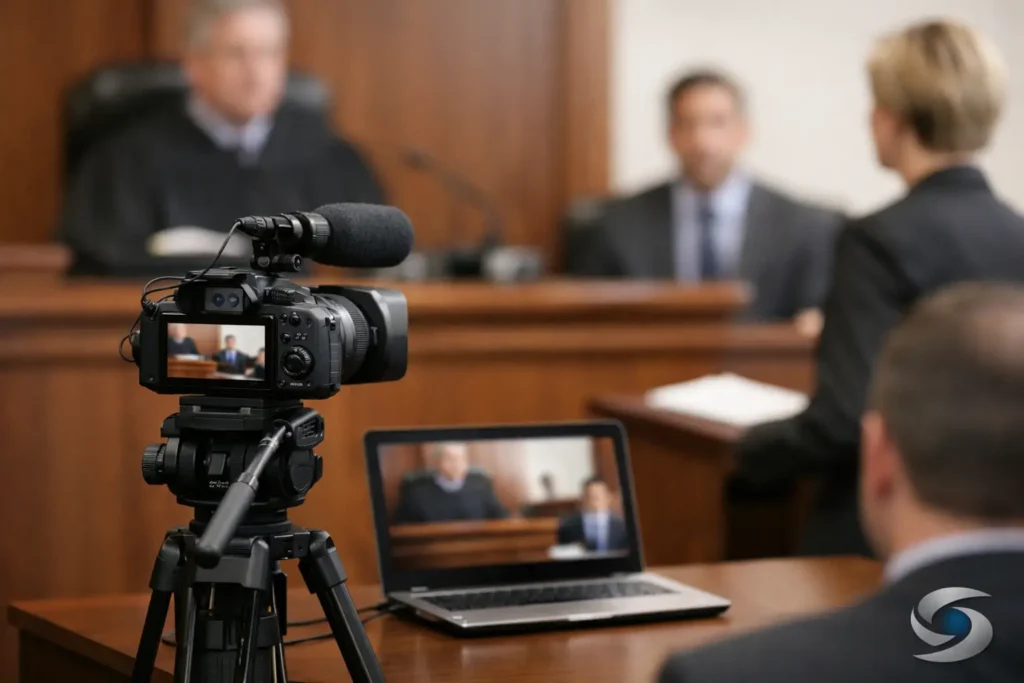
A courtroom screen goes dark, a deposition clip starts with no audio, or a juror cannot read the exhibit shown on screen. These are not minor production issues. Top courtroom video mistakes can interrupt counsel’s momentum, distract from testimony, and force a legal team to spend valuable trial time solving a technical problem in front of the fact finder.
Video is often most persuasive when it feels effortless. A synchronized deposition designation, accident reconstruction, medical animation, or day-in-the-life presentation should support the attorney’s theory of the case without calling attention to the mechanics behind it. That result requires legal-video planning well before the courtroom doors open.
Top Courtroom Video Mistakes Begin Before Trial
Many video failures occur during case preparation, not during playback. Legal teams may have strong evidence and carefully selected clips, yet still lose time because the material was created in a format that does not match the courtroom system or was never reviewed in its final presentation form.
The practical issue is that courtroom technology varies. One department may provide a display, sound system, and reliable connections. Another may have limited equipment, unfamiliar inputs, or rules that require parties to provide their own playback setup. Assuming that a file played correctly on a laptop in the office will perform identically in court is a risk that does not need to be taken.
Treat the courtroom as its own environment
Confirm the courtroom’s available technology, screen placement, audio capability, permitted connection types, and any procedures for bringing in equipment. If the matter is scheduled for mediation, arbitration, or a remote hearing, confirm those conditions separately. A presentation designed for a large courtroom monitor may not translate well to a conference-room display or a videoconference platform.
This is also the time to establish who will operate the presentation. An attorney should be free to question a witness, respond to objections, and address the court. Asking counsel, a paralegal, or a witness to manage files in the moment can create avoidable pressure. A trained legal-video professional can keep playback controlled, prompt, and discreet.
Mistake 1: Using Video That Has Not Been Courtroom Tested
A file may be technically complete and still be unprepared for court. Common problems include incompatible codecs, missing embedded audio, files saved on an unreliable drive, or a presentation that requires software unavailable on the playback computer. Even a simple issue such as an auto-playing video, a pop-up notification, or a visible desktop can undermine a polished presentation.
Courtroom testing means more than opening the file once. The final media should be played from the intended device, through the intended cables and display path, with sound checked at a realistic volume. The operator should test starting, pausing, resuming, and moving to designated clips quickly. Backup media should be available in a separate, verified format.
Testing also reveals visual issues that are easy to miss on a workstation monitor. Small text, low-contrast exhibits, and faint deposition video may be difficult to see from the jury box. If an exhibit cannot be understood without explanation, it may not be doing its job.
Mistake 2: Letting Audio Become an Afterthought
Attorneys and jurors will often tolerate imperfect video more readily than poor audio. They cannot evaluate testimony they cannot hear. Low witness volume, background noise, inconsistent levels between clips, and unclear remote-deposition audio can turn meaningful testimony into a frustrating courtroom experience.
Audio should be reviewed clip by clip, particularly when designations come from different deposition days or different recording environments. The goal is not to make every speaker sound identical. It is to ensure that testimony is intelligible and that volume changes do not surprise the courtroom.
Captions can be helpful in some circumstances, especially where audio quality is limited or terminology is technical. But captions must be accurate, timed correctly, and used consistently with the court’s requirements and the parties’ stipulations. They are a support tool, not a substitute for clean, professionally managed audio.
Mistake 3: Presenting Unsynchronized Deposition Video
Video deposition testimony is far more useful when the video, transcript, and designations are aligned. Without synchronization, counsel may spend time searching for the right passage, struggle to locate an impeachment clip, or play more testimony than intended. That delay affects pacing and can make a well-prepared examination look improvised.
A properly synchronized deposition allows the legal team to locate testimony by page and line, designation, or topic, then present the selected portion with corresponding text when appropriate. It also makes last-minute adjustments more manageable when rulings change what may be played.
Accuracy matters at every stage. Names, exhibit references, page-and-line references, and clip boundaries must be reviewed before trial. A clip that begins mid-answer or continues after an objectionable statement can create a problem that is difficult to correct once playback has started.
Mistake 4: Editing for Drama Instead of Clarity
Legal video editing should clarify evidence, not overproduce it. Aggressive music, flashy transitions, excessive effects, or editorial choices that appear designed to manipulate the viewer can draw objections and weaken credibility. A courtroom audience is evaluating evidence, not watching a commercial.
That does not mean legal video must be plain or ineffective. Clean titles, accurate labels, logical sequencing, restrained callouts, and well-timed exhibit displays can make complex facts easier to follow. The right approach depends on the evidence, the venue, and the purpose of the presentation.
For example, a day-in-the-life video requires thoughtful editorial judgment because it presents deeply personal evidence. An accident reconstruction may require clear visual distinctions between known facts, expert assumptions, and illustrative elements. In both situations, precision is persuasive. The presentation should help the viewer understand the evidence without overstating what it proves.
Mistake 5: Failing to Preserve the Original Record
Editing and demonstrative production create multiple versions of media. If those versions are not organized, a team may arrive in court with uncertainty about which file is final, which clip was approved, or whether the playback copy matches the version previously disclosed or reviewed by opposing counsel.
Maintain clear file names, version control, and an organized record of source media, edited deliverables, transcript references, and approved designations. This discipline is particularly valuable when trial dates move, witnesses are added, or counsel requests revisions under a short deadline.
The same care applies to exhibits shown inside a video. A document displayed at the wrong page, an image with an incomplete label, or an outdated demonstrative can distract from otherwise compelling evidence. Final review should involve both the legal team and the video professional, because each sees different risks.
Mistake 6: Waiting Too Long to Build the Presentation
Trial preparation often compresses into the final days before a hearing. Still, video work benefits from early planning. A late request can limit opportunities to improve source quality, resolve transcript issues, obtain missing exhibits, or test the presentation in the venue.
Early planning does not require locking every designation months in advance. It means identifying which evidence may need professional treatment, gathering source materials in usable form, and creating a production path that can accommodate changes. Legal video specialists are accustomed to evolving trial strategy, but enough lead time protects quality and reduces last-minute decisions.
A Better Standard for Courtroom Video
The strongest courtroom video is accurate, understandable, technically dependable, and ready to play when counsel needs it. It respects the court’s procedures while helping attorneys present testimony and evidence with control.
For Seattle-area legal teams facing a trial, mediation, or evidentiary hearing, Royal Video Productions approaches each deliverable with that standard in mind: careful preparation, reliable playback, and responsive support when deadlines tighten. The best time to solve a courtroom video problem is while it is still a planning detail, not while the judge and jury are waiting.